Cloud Avenue Wiki
-
Overview
-
Practical sheets
-
- Add a NetBackup User
- Backing up a VM
- Backup : Agent-Level B&R via NSS for IAAS offer
- Checking Backup Prerequisites
- Daily Reporting
- Deleting a VM Backup
- Identifying Your Backup Master Server
- NetBackup Portal
- New billing model
- NSS Home Page
- NSS Swagger APIs
- Restoring a VM
- Troubleshooting Netbackup Errors
- VM Agent Restoration Mode
- NetBackup Portal
-
-
- Aucun article
-
-
- Aucun article
-
-
-
- Backup : Agent-Level B&R via NSS for IAAS offer
- Backup : Create VCOD Backup
- Backup : Netbackup Agent Installation for Linux
- Backup : Netbackup Agent Installation for Windows
- Backup : Overall Design for VCOD Offer
- Backup : User's Guide for VCOD Offer
- NSX-T : Configuring a Distributed Firewall
- NSX-T : Create VPN Ipsec
- NSX-T : Creation of T1
- NSX-T : DNAT configuration
- NSX-T : How to configure a Gateway Firewall
- NSX-T : SNAT configuration
- NSX-T: Create and Configure a Geneve Overlay Segment
- NSX-T: How to configure an IPSEC solution
- Parcours Client Sauvegarde WORM pour l'Offre VCOD STD
- vCenter : Clone a VM
- VCenter : Create a new VM
- VCenter : Create a snapshot of a VM
- VCenter : Reset cloudadmin password
- VCenter : Storage Vmotion on a VM
- VCenter : Upgrade Vmware tools on a VM
- WORM Backup Customer Journey for VCOD STD Offering
-
-
Q & A
-
Services
-
-
-
- Aucun article
-
-
- Aucun article
-
- Aucun article
-
- Aucun article
-
-
WORM Backup Customer Journey for VCOD STD Offering
Introduction
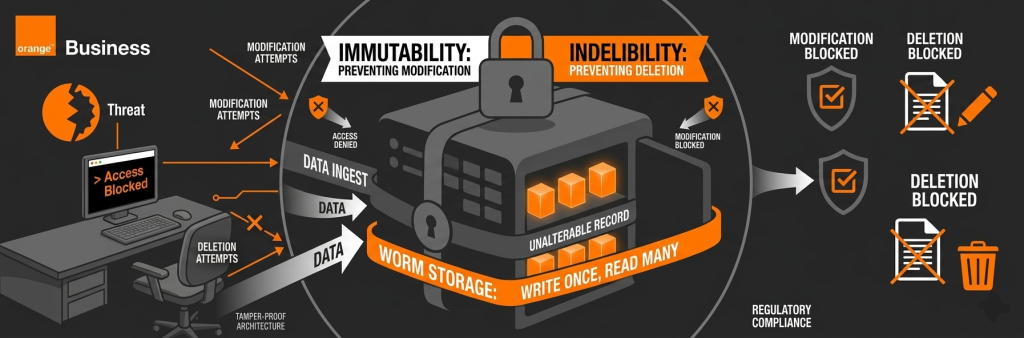
Customer Journey
The below screenshot summarizes the overall customer journey while the next sections provide more details on how to deal with the feature
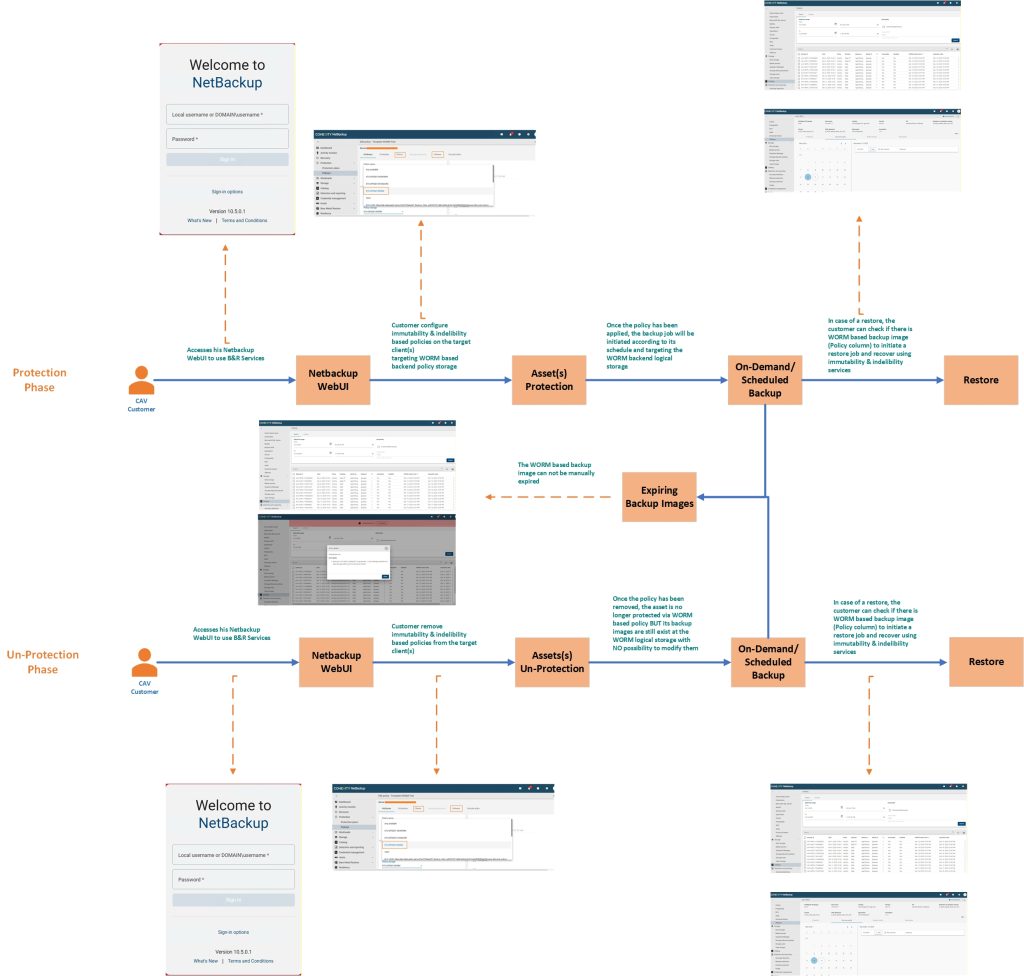
Protection Phase
- Access NetBackup Master Server to use B&R Services
- Netbackup admin console
- Netbackup admin console
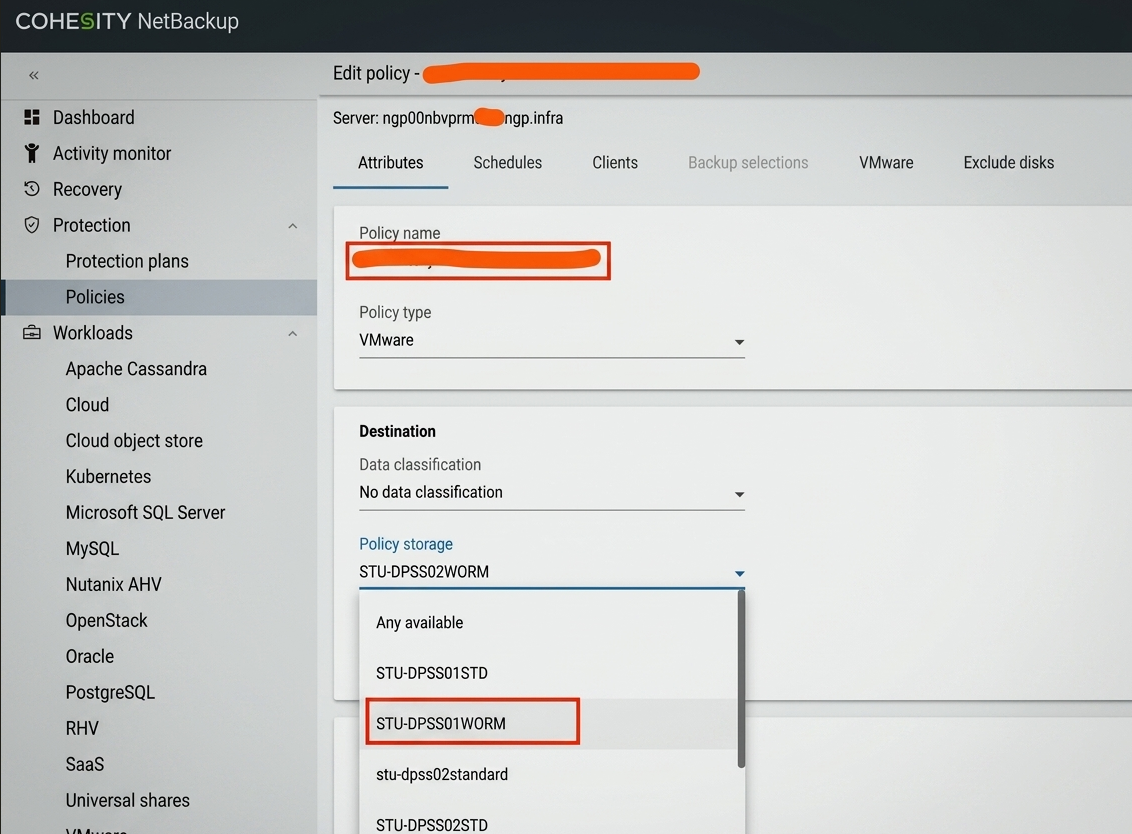
- Create / Update Policy with WORM storage unit (STU) or Storage Lifecycle Policy (SLP) that includes a WORM STU
- Select assets as usual
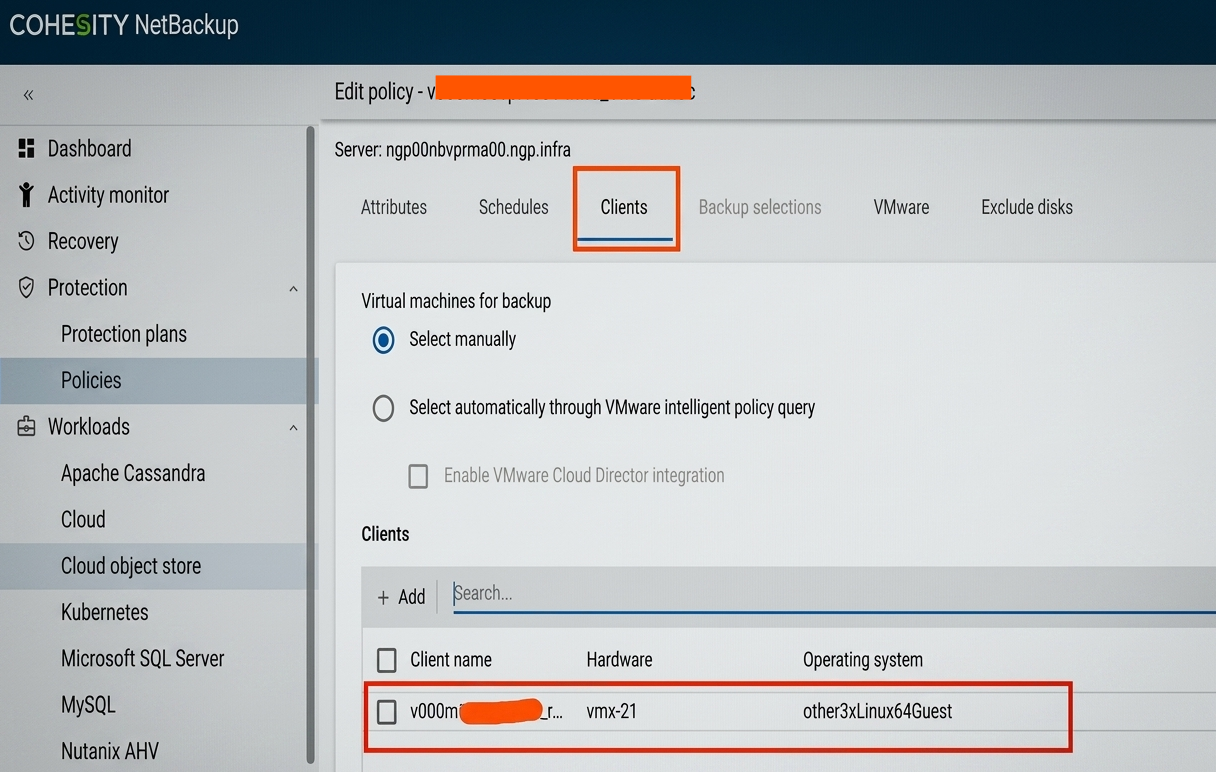
- Assign:
- WORM Enabled Storage unit
- or SLP with WORM enabled STU
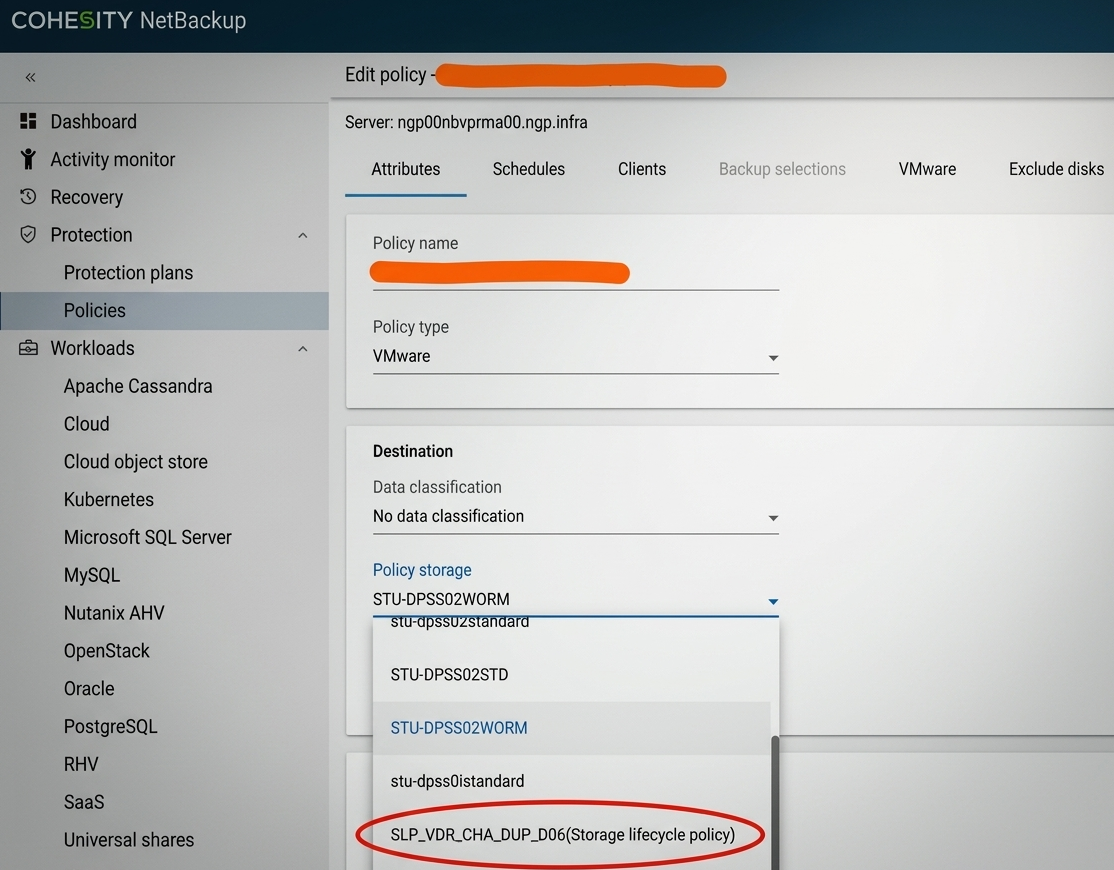
Note: Storage is configured with immutability and indelibility using a retention lock
- WORM Enabled Storage unit
- Select assets as usual
- Run Backup
- Manual or scheduled backup
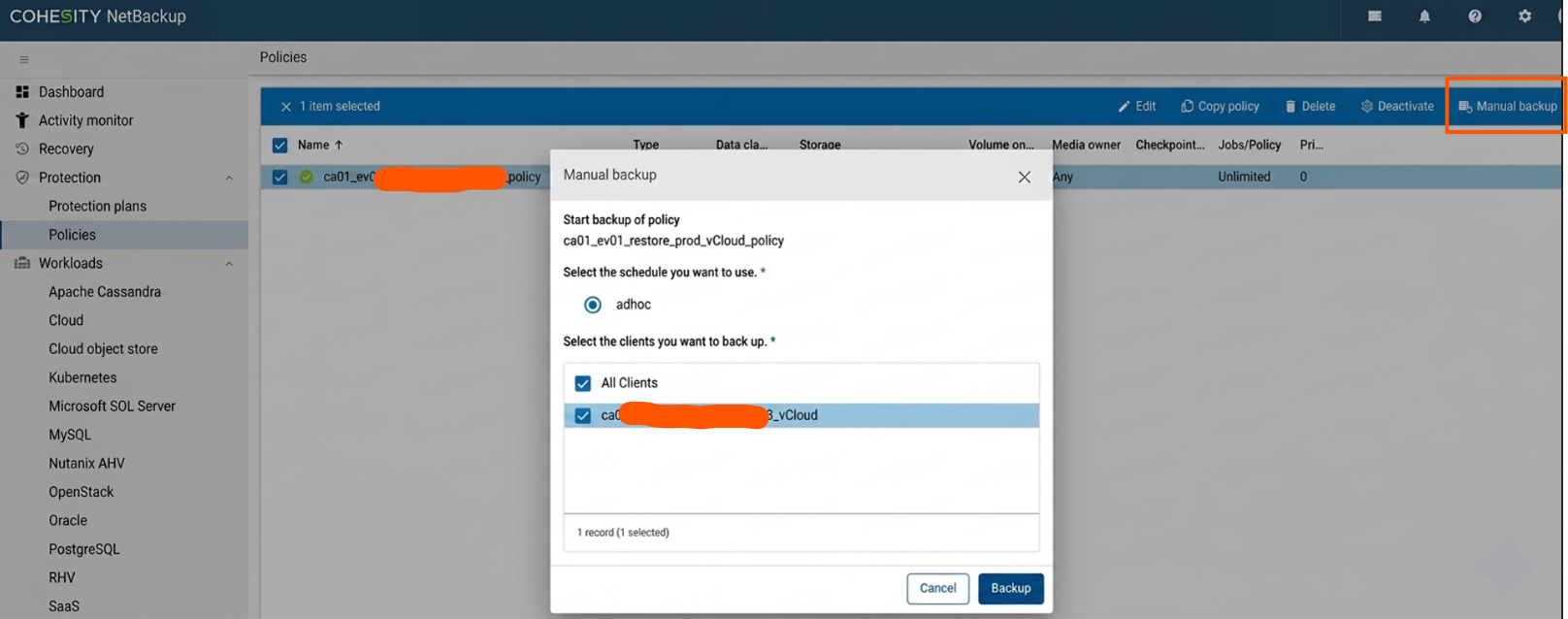
Note: Once the Policy has been applied, the backup will be initiated according to its schedule or
can be initiated manually and targeting WORM Storage and become immutable and indelible.
- Manual or scheduled backup
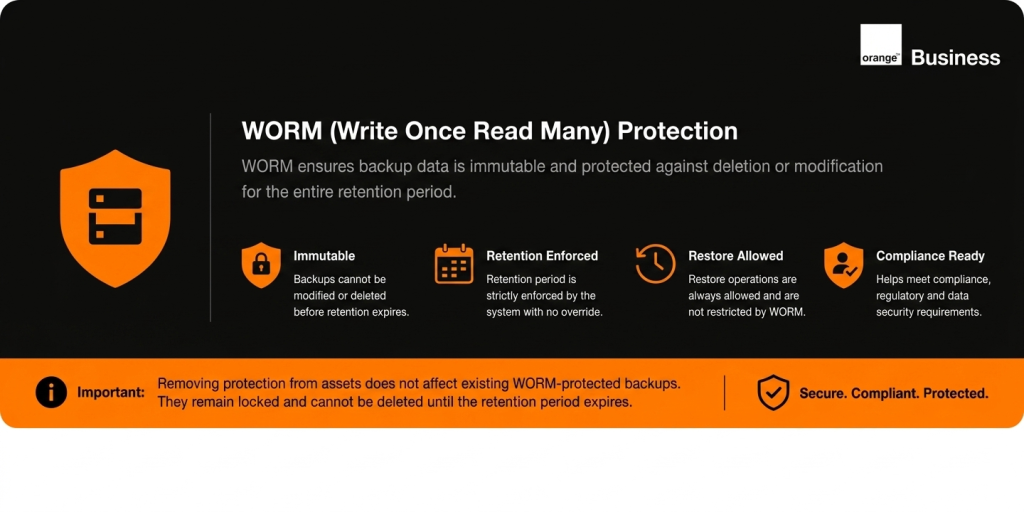
- WORM Enforcement
- Backup images:
- Cannot be deleted
- Cannot be modified
Cannot be expired manually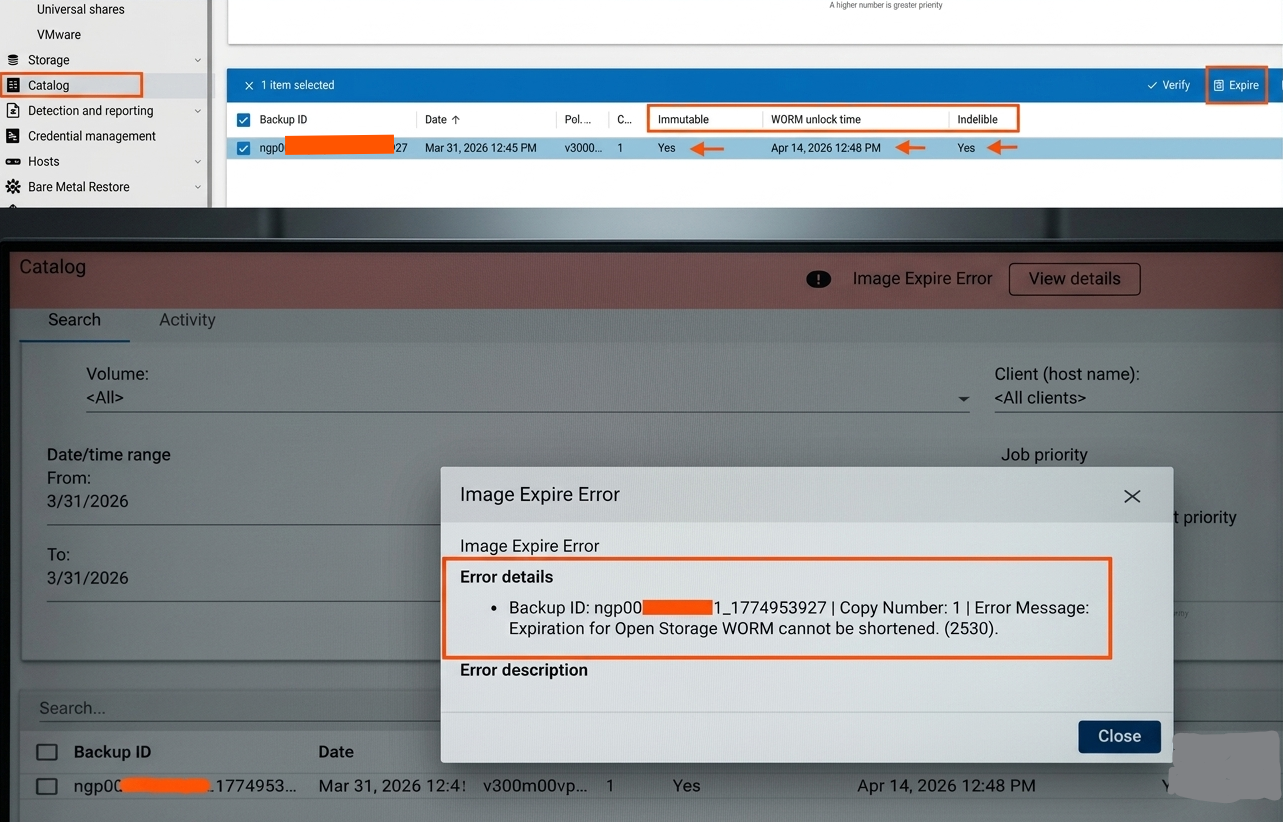
- Backup images:
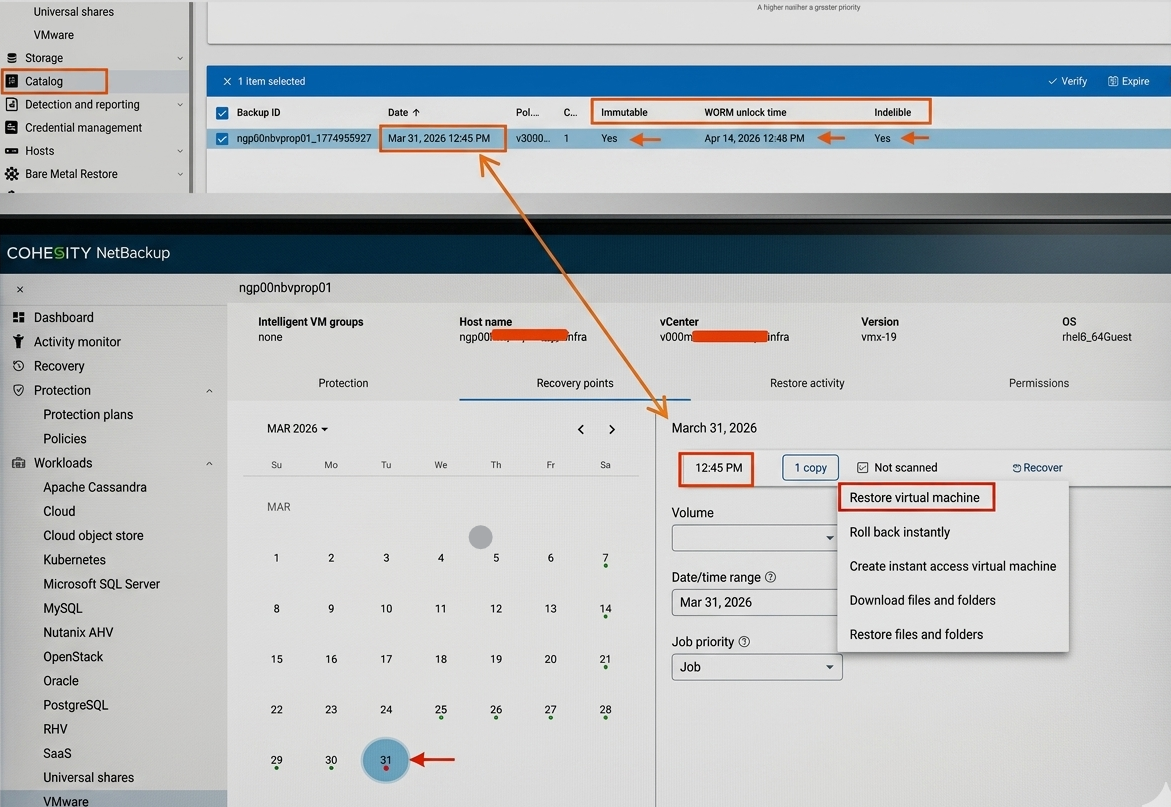
- Check or restore Data
- From the catalog, you can check the WORM attribute of backup images.
- Perform restore as usual (same procedure for WORM backups than for non-WORM backups).
Un-Protection Phase
- Access NetBackup Master Server to use B&R Services
- Netbackup admin console
- Netbackup admin console
- Update Policy
- Modify policy:
- Assign non-WORM storage unist (STU) or Storage Lifecycle Policy (SLP) that doesn’t include a WORM STU
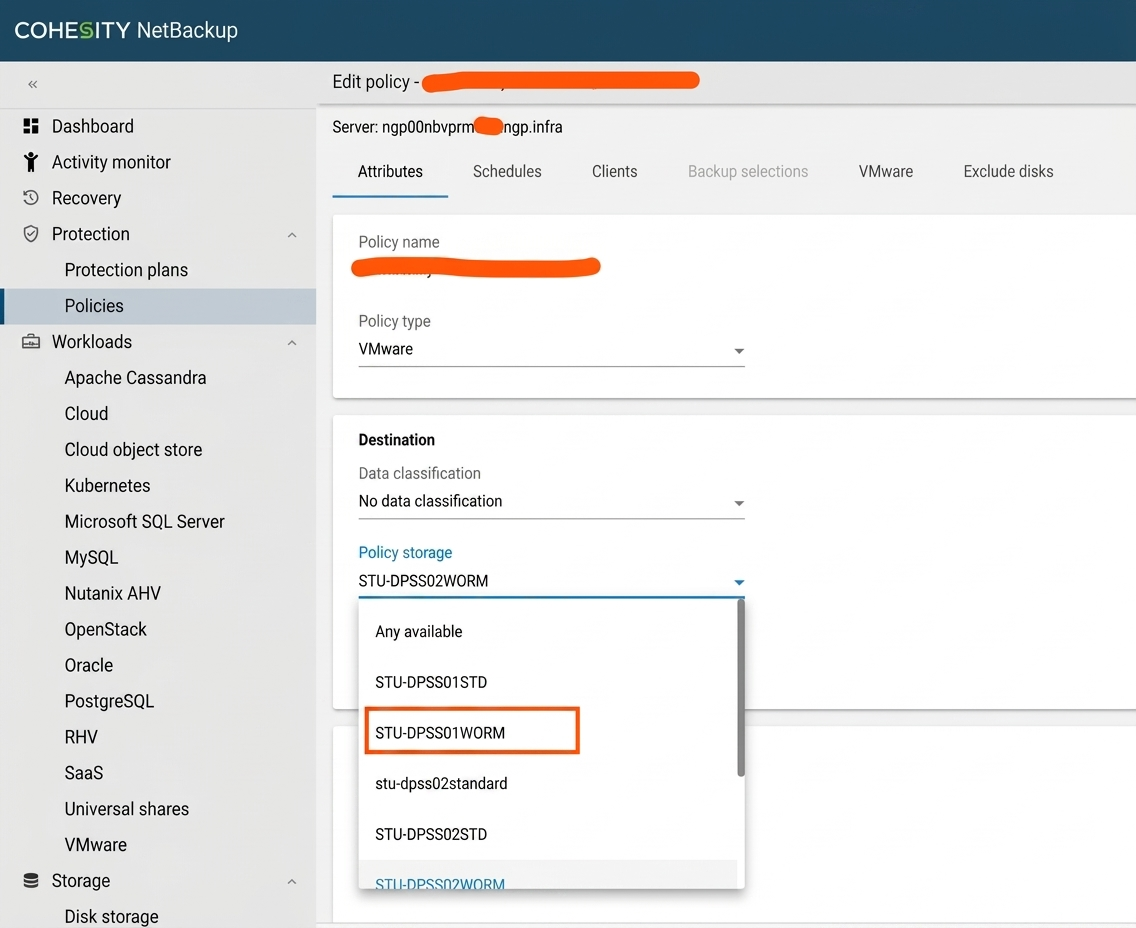
- Assign non-WORM storage unist (STU) or Storage Lifecycle Policy (SLP) that doesn’t include a WORM STU
- Modify policy:
- New Backups (Non-WORM)
- On-Demand / Scheduled Backup
- New backups are no longer immutable.
- Existing WORM Images
- Existing WORM backup images remain locked until retention expires, they cannot be manually
expired or deleted
- Existing WORM backup images remain locked until retention expires, they cannot be manually
- New backups are no longer immutable.
- On-Demand / Scheduled Backup
- Restore Data
- From the catalog, you can check the WORM attribute of backup images.
- Perform restore as usual (same procedure for WORM backups than for non-WORM backups).