-
Overview
-
Q & A
-
Practical sheets
-
- Add a NetBackup User
- Backing up a VM
- Backup : Agent-Level B&R via NSS for IAAS offer
- Checking Backup Prerequisites
- Daily Reporting
- Deleting a VM Backup
- Identifying Your Backup Master Server
- NetBackup Portal
- New billing model
- NSS Home Page
- NSS Swagger APIs
- Restoring a VM
- Troubleshooting Netbackup Errors
- VM Agent Restoration Mode
-
-
- Aucun article
-
-
- Aucun article
-
-
-
- Backup : Agent-Level B&R via NSS for IAAS offer
- Backup : Create VCOD Backup
- Backup : Netbackup Agent Installation for Linux
- Backup : Netbackup Agent Installation for Windows
- Backup : Overall Design for VCOD Offer
- Backup : User's Guide for VCOD Offer
- NSX-T : Configuring a Distributed Firewall
- NSX-T : Create VPN Ipsec
- NSX-T : Creation of T1
- NSX-T : DNAT configuration
- NSX-T : How to configure a Gateway Firewall
- NSX-T : SNAT configuration
- NSX-T: Create and Configure a Geneve Overlay Segment
- NSX-T: How to configure an IPSEC solution
- Parcours Client Sauvegarde WORM pour l'Offre VCOD STD
- vCenter : Clone a VM
- VCenter : Create a new VM
- VCenter : Create a snapshot of a VM
- VCenter : Reset cloudadmin password
- VCenter : Storage Vmotion on a VM
- VCenter : Upgrade Vmware tools on a VM
- WORM Backup Customer Journey for VCOD STD Offering
-
-
Services
-
-
-
- Aucun article
-
-
- Aucun article
-
- Aucun article
-
- Aucun article
-
Backing up a VM
Overview
Backup can be done :
- On an Organization
- An OvDC
- A vApp
- A VM
It is possible to perform 2 types of Backups:
- Backup Now
- with an associated PL

Warning !
A saved VM will switch to Attention status before its 1st trigger between 10 p.m. and 6 a.m.
Refresh the NetBackup Portal
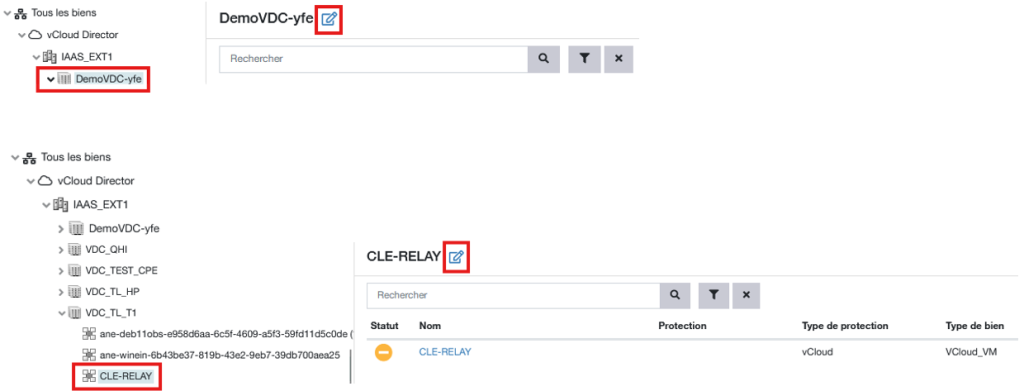
If you have just deployed a VM and want to back it up, you must refresh the NetBackup Portal so that it can detect the new VM by selecting vCloud Director and then clicking the Refresh button on the right.

Backup Now
Backup Now will back up your VM at a specific point in time with a retention period that you define. Once this period has elapsed, your backup will expire.
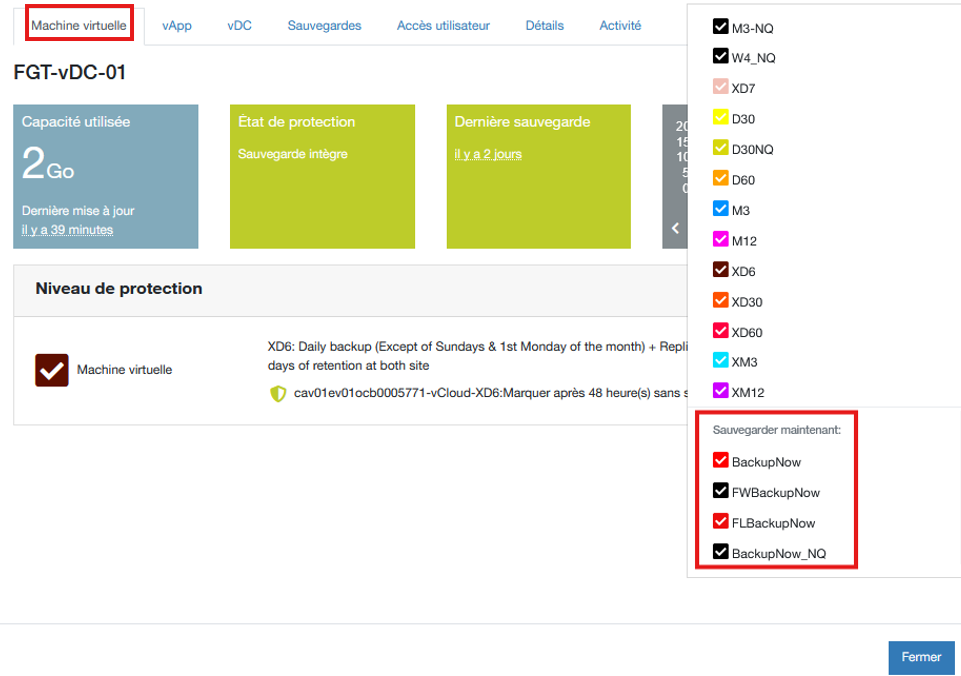
Select your VM, then click the Actions button on the right, choose Backup Now, set the desired retention period (1 week/2 months, etc.), and select Backup Now
- Backup Now: Instant Backup
- FWBackupNow: Instant file backup in Agent mode on a Windows VM
- FLBackupNow: Instant file backup in Agent mode on a Linux VM
- BackupNow_NQ: Instant backup without taking a snapshot
- Translated with DeepL.com (free version)
Backing Up VMs with PL
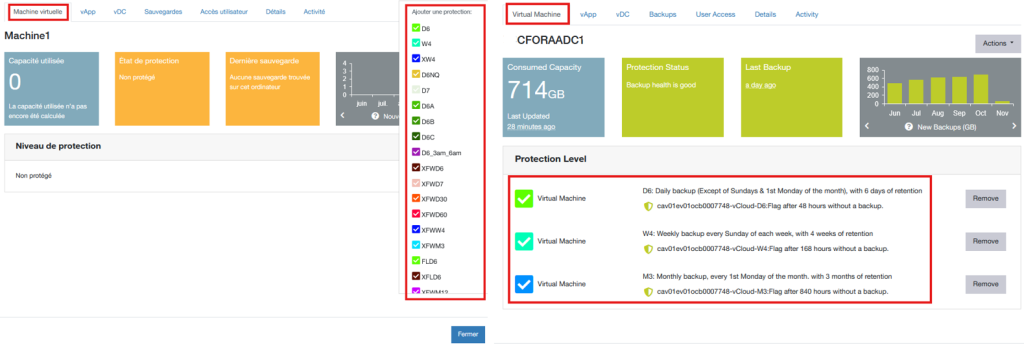
You can also apply a Backup Policy using the Actions button in the right-hand pane of the VM.
Select the Protection Level (PL) you want to apply and click Protect. The VM will then change to Attention status and will be included in the next nightly scheduling.
It is possible to combine multiple Policies provided they do not overlap.
You can also apply policies to :
- a vDC: All vApps and VMs belonging to the vDC will be subject to these policies by default.
- a vApp: All VMs belonging to the vApp will be subject to these policies by default.