-
Overview
-
Practical sheets
-
- Add a NetBackup User
- Backing up a VM
- Backup : Agent-Level B&R via NSS for IAAS offer
- Checking Backup Prerequisites
- Daily Reporting
- Deleting a VM Backup
- Identifying Your Backup Master Server
- NetBackup Portal
- New billing model
- NSS Home Page
- NSS Swagger APIs
- Restoring a VM
- Troubleshooting Netbackup Errors
- VM Agent Restoration Mode
- NetBackup Portal
-
-
- Aucun article
-
-
- Aucun article
-
-
-
- Backup : Agent-Level B&R via NSS for IAAS offer
- Backup : Create VCOD Backup
- Backup : Netbackup Agent Installation for Linux
- Backup : Netbackup Agent Installation for Windows
- Backup : Overall Design for VCOD Offer
- Backup : User's Guide for VCOD Offer
- NSX-T : Configuring a Distributed Firewall
- NSX-T : Create VPN Ipsec
- NSX-T : Creation of T1
- NSX-T : DNAT configuration
- NSX-T : How to configure a Gateway Firewall
- NSX-T : SNAT configuration
- NSX-T: Create and Configure a Geneve Overlay Segment
- NSX-T: How to configure an IPSEC solution
- Parcours Client Sauvegarde WORM pour l'Offre VCOD STD
- vCenter : Clone a VM
- VCenter : Create a new VM
- VCenter : Create a snapshot of a VM
- VCenter : Reset cloudadmin password
- VCenter : Storage Vmotion on a VM
- VCenter : Upgrade Vmware tools on a VM
- WORM Backup Customer Journey for VCOD STD Offering
-
-
Q & A
-
Services
-
-
-
- Aucun article
-
-
- Aucun article
-
- Aucun article
-
- Aucun article
-
-
NetBackup Portal
Overview
The NSS (netBackup SelfService) portal which allows you to manage your backups and restores is accessible via Internet with the following URLs:
| Plateform | URL |
| VDR externe | https://backup1.cloudavenue.orange-business.com/NetBackupSelfService/Login |
| VDR interne | https://backup2.cloudavenue.orange-business.com/NetBackupSelfService/Login |
| CHA externe | https://backup4.cloudavenue.orange-business.com/NetBackupSelfService/Login |
| CHA interne | https://backup5.cloudavenue.orange-business.com/NetBackupSelfService/Login |
Prerequisites
- You must have an NSS User account
- Mastery of the different backup policies in the service catalog at Cloud Avenue.
- You master the financial impact (see the pricing grid of the Cloud Avenue Contractual Documents)
First connection
New Client
Your tenant is added during the creation of one’s Cloud Avenue contract.
By default, two users are automatically added:
- The account administrator, who is linked to the contract referrer.
- An “API” user, who can query the NSS API.
The welcome email will inform the contract bearer his/her login credentials with the following format:
[ firstName.lastName.platformId ]
This one is created following the format : prénom.nom.id platform.
for example, jack.smith.cav01ev01ocb0001234
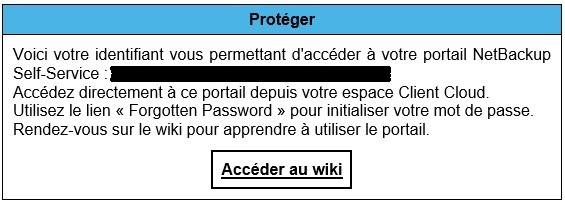
Use the “Forgotten Password” link to initialize your password.
Password criteria :
- Must contain alpha-numeric characters
- Must have at least 8 characters
- Must be different from the identifier
- Must be different from the last 12 passwords
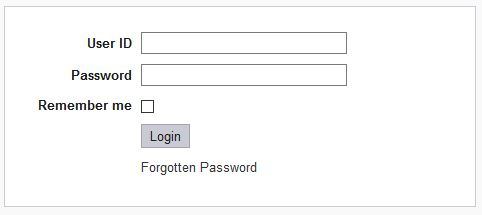
Add other users
You can now add new users
Add a NetBackup User – Wiki Cloud Avenue – Orange Business
Enable double factor authentification
It is recommended to have at least 2 tenant administrators.
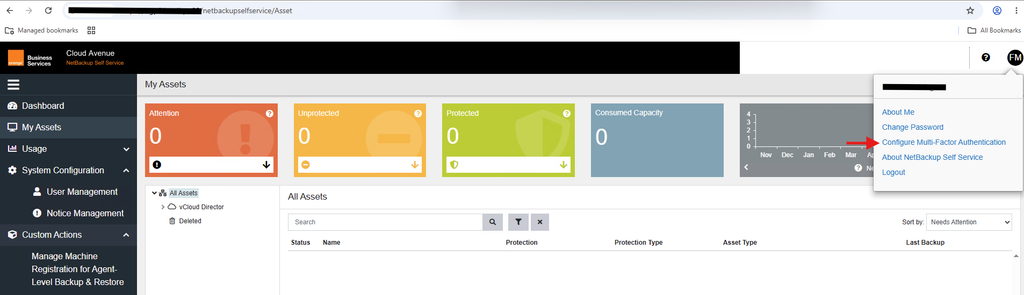
Cliqck on your profile, then on Configure Multi-Factor Authentication:
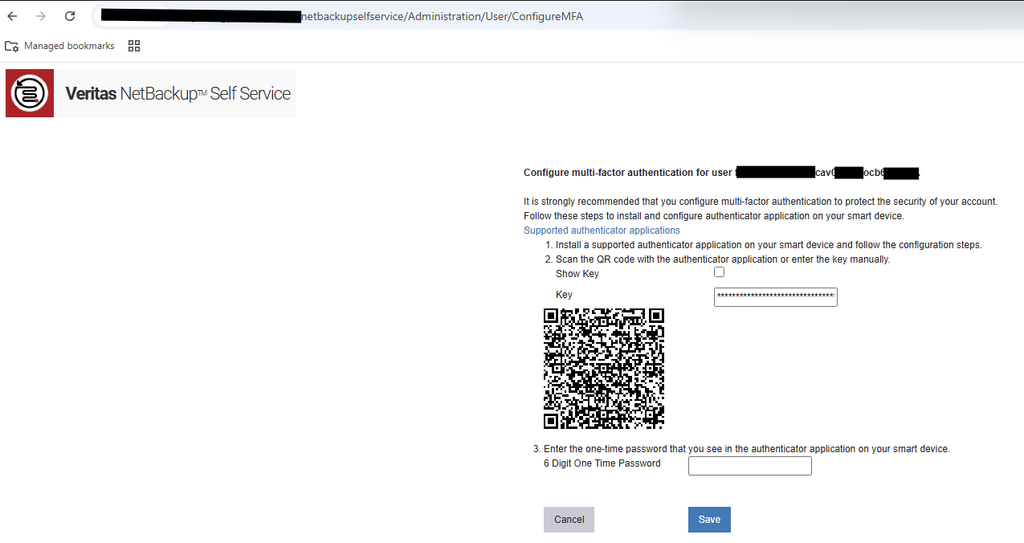
Use your MFA application to scan the QR code or enter the key, then enter the 6-digit temporary code generated by your MFA application, then click on Save:
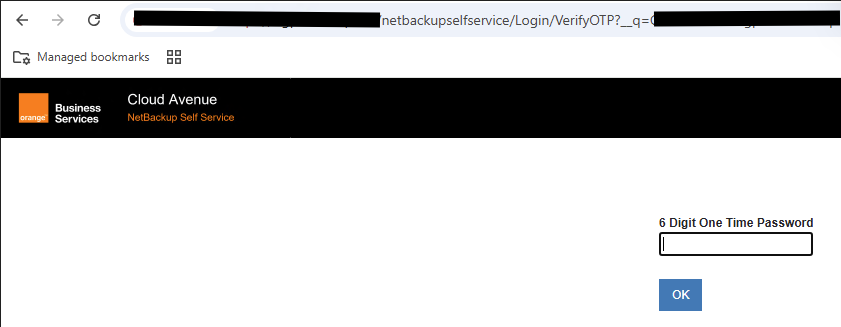
For next logins, you’ll have to provide a 6-digit temporary code generated by your MFA application after entering your credentials:
Disable double factor authentification (MFA)
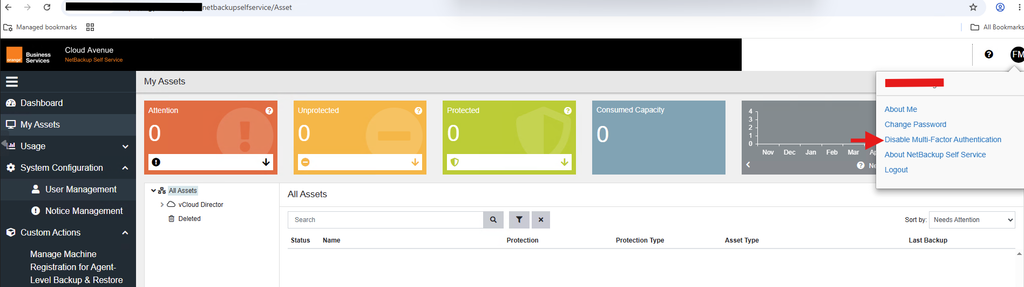
Cick on your profile, then on Disable Multi-Factor Autentication:
NetBackup backup process
Phase 1: Backup Initialization
Phase 2: NetBackup requests the VMware infrastructure to create a VmWare snapshot of the VM.
Phase 3:
Windows server: VSS synchronizes the VM file system.
Linux server: the file system is set in quiesce mode by IO control.
Phase 4: VMWARE system creates a snapshot of the .vmdk file, the virtual disk, (Datastore).
Phase 5: The NetBackup client reads this snapshot from the Datastore and writes the data to the backup storage unit.
Phase 6: At the end of the backup, the snapshot file is merged with the VM’s .vmdk file and then deleted.