-
Overview
-
Q & A
-
Practical sheets
-
-
- Aucun article
-
-
- Aucun article
-
-
-
- Backup : Agent-Level B&R via NSS for IAAS offer
- Backup : Create VCOD Backup
- Backup : Netbackup Agent Installation for Linux
- Backup : Netbackup Agent Installation for Windows
- Backup : Overall Design for VCOD Offer
- Backup : User's Guide for VCOD Offer
- NSX-T : Configuring a Distributed Firewall
- NSX-T : Create VPN Ipsec
- NSX-T : Creation of T1
- NSX-T : DNAT configuration
- NSX-T : How to configure a Gateway Firewall
- NSX-T : SNAT configuration
- NSX-T: Create and Configure a Geneve Overlay Segment
- NSX-T: How to configure an IPSEC solution
- vCenter : Clone a VM
- VCenter : Create a new VM
- VCenter : Create a snapshot of a VM
- VCenter : Reset cloudadmin password
- VCenter : Storage Vmotion on a VM
- VCenter : Upgrade Vmware tools on a VM
-
-
Services
-
-
- Aucun article
-
- Aucun article
-
- Aucun article
-
- Aucun article
-
- Aucun article
-
- Aucun article
-
- Aucun article
-
-
-
- Aucun article
-
- Aucun article
-
- Aucun article
-
-
- Aucun article
-
- Aucun article
-
-
Flavor or Tailor config on VCD
Overview
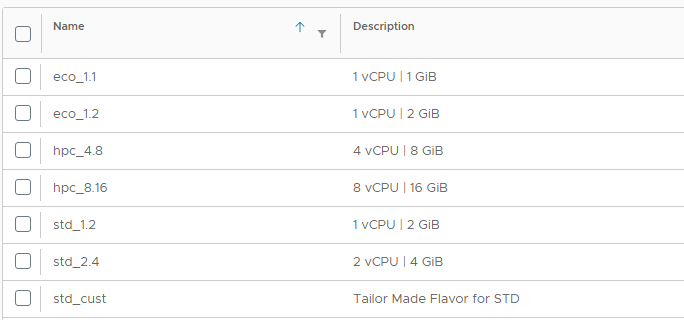
There is a new feature on VCD that allow to use flavor parameter to create VMs.
Flavor is a parameter that will automatically configure the RAM and CPU and that can be used depending the conf needed by the customer.
The tailor configuration leave the liberty to use the manual configuration of CPU and RAM has before.
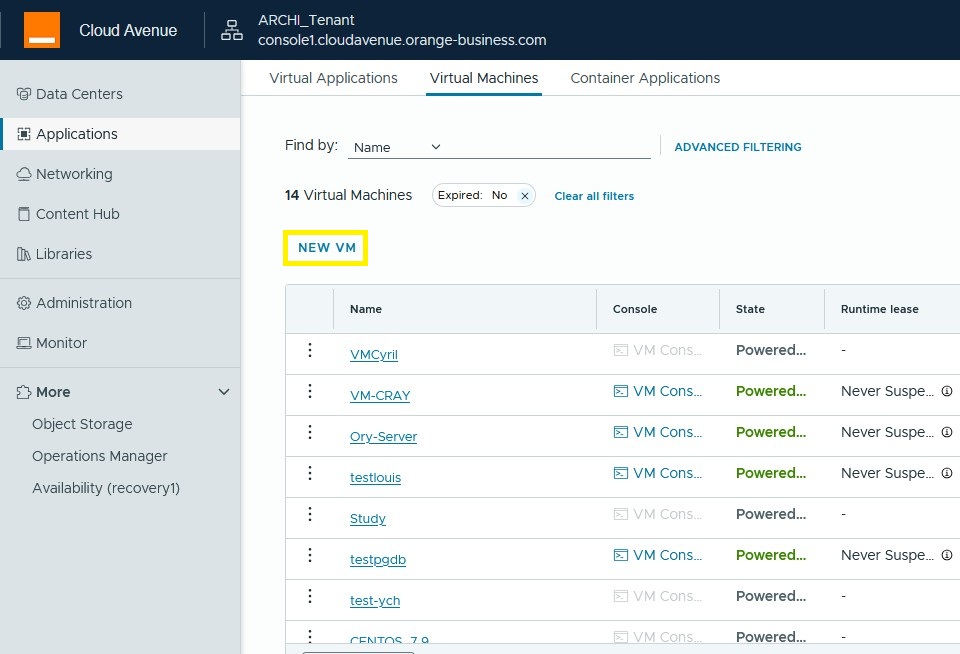
On the VCD portal, log in to your organization and access your OrgvDC. Then, navigate to your datacenter and select Virtual Machine. Click New VM.
If we choose customization, we can select the processor and RAM we want;
This only applies to “new” and “not from a model” configurations.
- Guest OS Family
- Windows
- Linux
- Others
- Guest OS
- Choice of Operating System
- Boot image
- Image Selection
- Boot firmware
- BIOS
- EFI
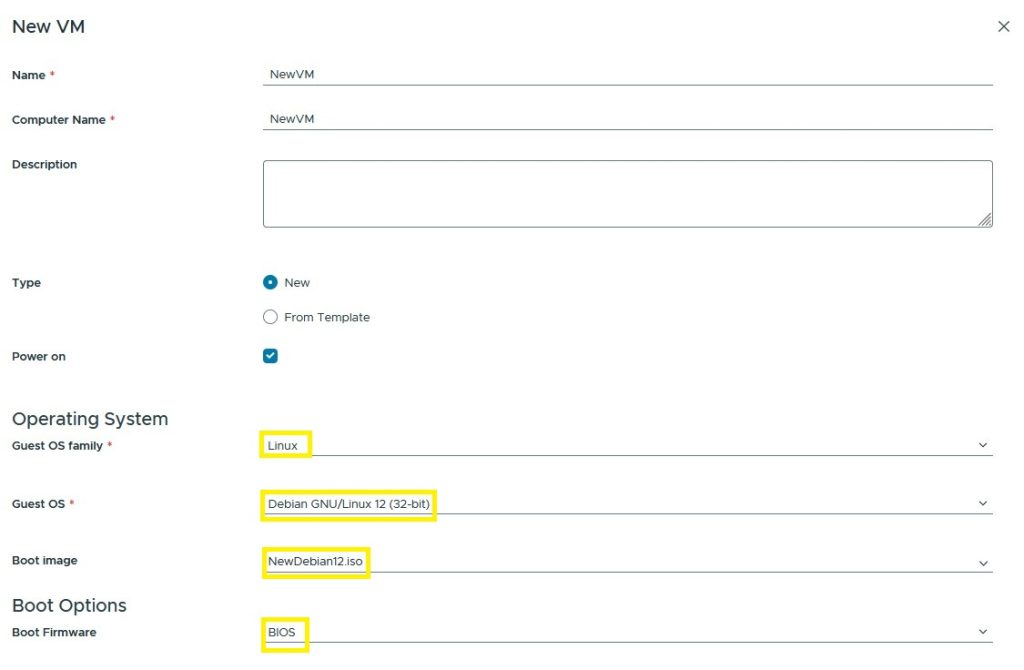
CPU and RAM resource selection
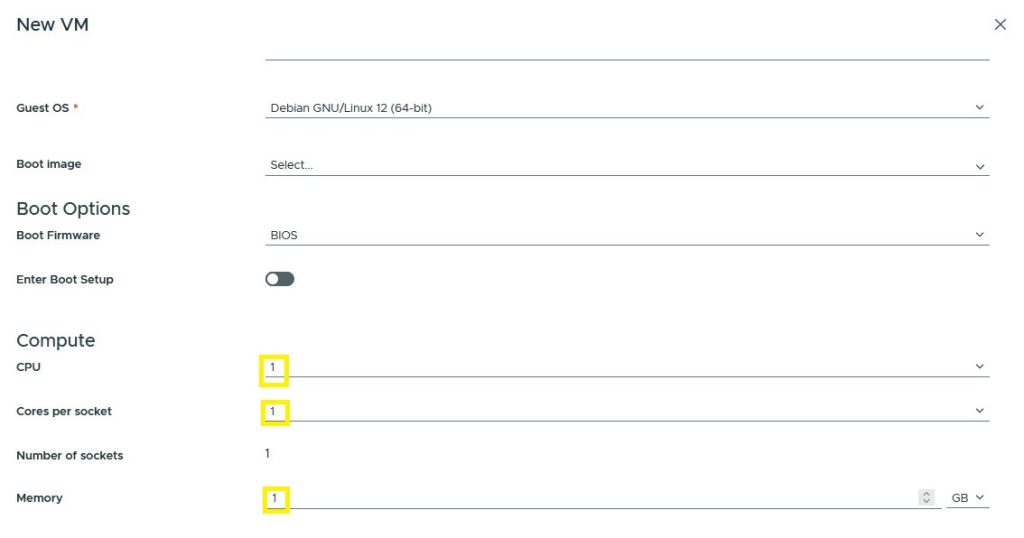
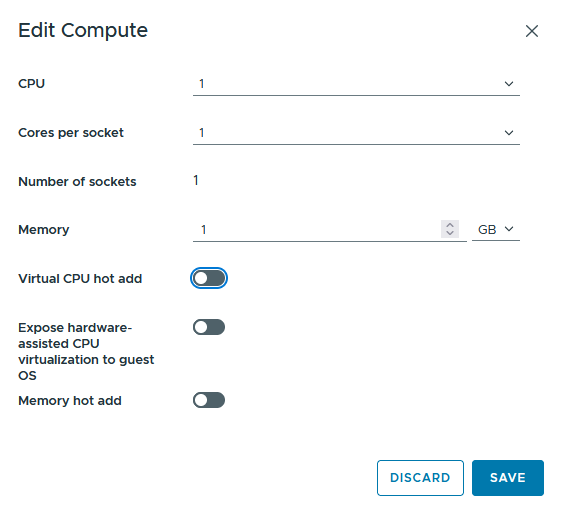
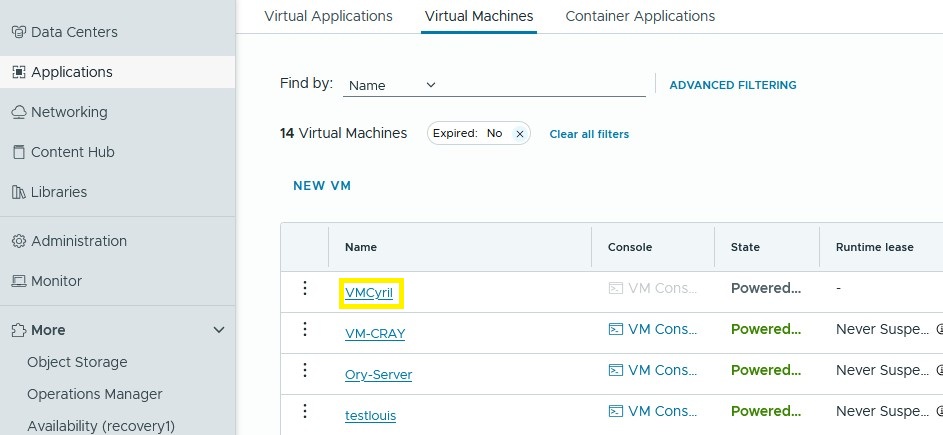
Once the virtual machine is created, you can modify it at any time provided that it is stopped; the operation cannot be done while the machine is running.
Clic “VM”
Click “Compute”
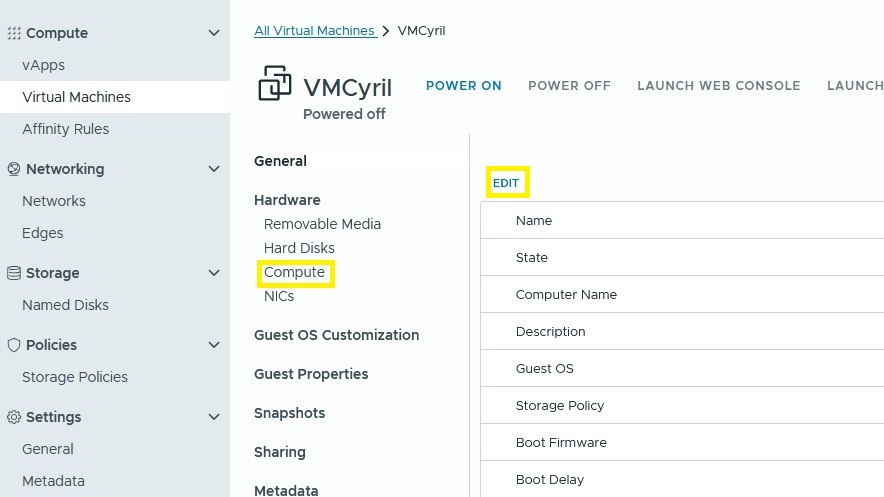
Click on “Edit” and change your processor and memory ressources