Cloud Avenue Wiki
-
Overview
-
Q & A
-
Practical sheets
-
-
- Aucun article
-
-
- Aucun article
-
-
-
- Backup : Agent-Level B&R via NSS for IAAS offer
- Backup : Create VCOD Backup
- Backup : Netbackup Agent Installation for Linux
- Backup : Netbackup Agent Installation for Windows
- Backup : Overall Design for VCOD Offer
- Backup : User's Guide for VCOD Offer
- NSX-T : Configuring a Distributed Firewall
- NSX-T : Create VPN Ipsec
- NSX-T : Creation of T1
- NSX-T : DNAT configuration
- NSX-T : How to configure a Gateway Firewall
- NSX-T : SNAT configuration
- NSX-T: Create and Configure a Geneve Overlay Segment
- NSX-T: How to configure an IPSEC solution
- vCenter : Clone a VM
- VCenter : Create a new VM
- VCenter : Create a snapshot of a VM
- VCenter : Reset cloudadmin password
- VCenter : Storage Vmotion on a VM
- VCenter : Upgrade Vmware tools on a VM
-
-
Services
-
-
- Aucun article
-
- Aucun article
-
- Aucun article
-
- Aucun article
-
- Aucun article
-
- Aucun article
-
- Aucun article
-
-
-
- Aucun article
-
- Aucun article
-
- Aucun article
-
-
- Aucun article
-
- Aucun article
-
-
Network connection to the service area (NGP)
Overview
The service area is accessible from your internet gateway, the one that is automatically created when your organization is created.
- Presentation of the service area
- Configure NAT
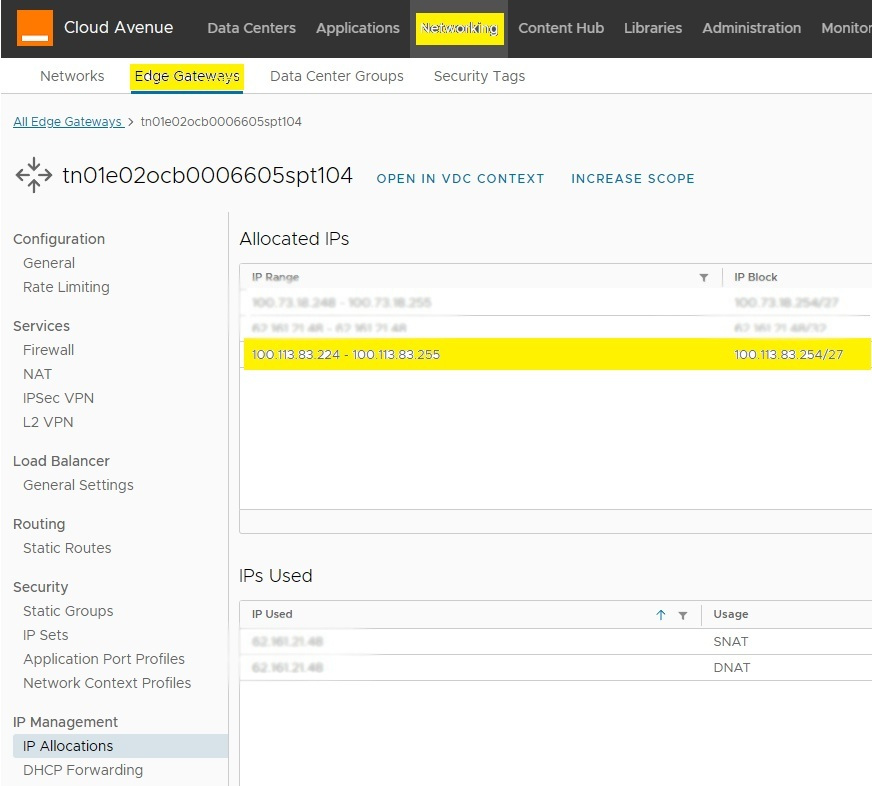
From the Edge Gateways > IP Address Allocations tab
Prerequistes
Locate the pool of IP addresses available to you, starting with 100.113.
Write it down somewhere.
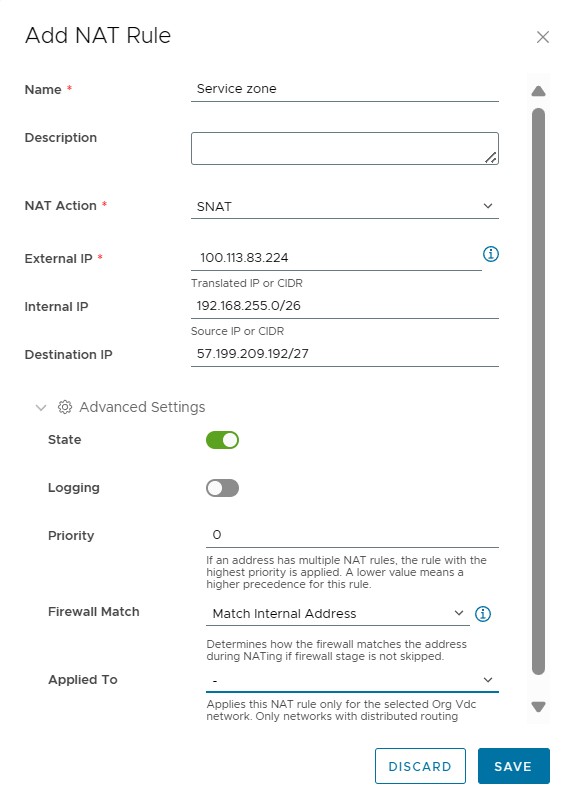
Créer une règles de NAT
- The external IP address must correspond to an available IP address in the IP address pool discussed previously.
- The internal IP address must correspond to an address or network that you have created.
- Enter the following “Destination IP address“: 57.199.209.192/27
- Set the priority to 0.
This rule should have a higher priority than the one allowing you to access the internet because the route taken is the same
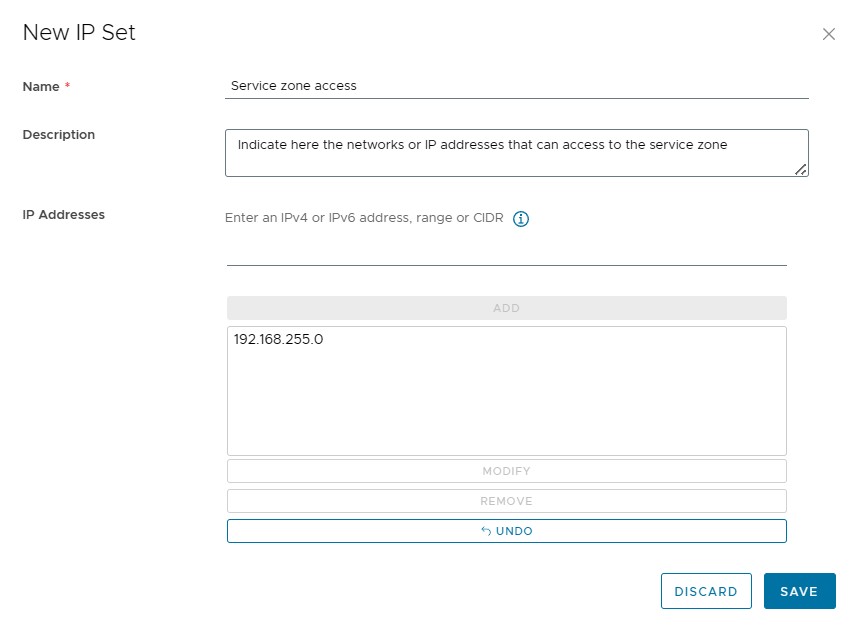
Create a first IPSET containing the networks that need to access the service area.
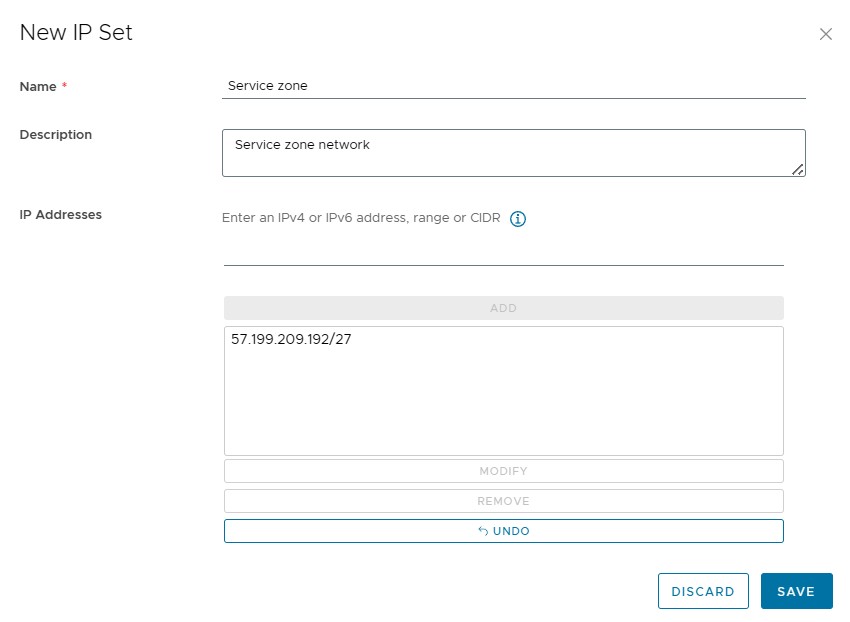
Create a second IPSET containing the service area network: 57.199.209.192/27
From Firewall
Create a rule allowing your networks’ IPSET to access the service area’s IPSET.
