-
Overview
-
Practical sheets
-
-
- Aucun article
-
-
- Aucun article
-
-
-
- Backup : Agent-Level B&R via NSS for IAAS offer
- Backup : Create VCOD Backup
- Backup : Netbackup Agent Installation for Linux
- Backup : Netbackup Agent Installation for Windows
- Backup : Overall Design for VCOD Offer
- Backup : User's Guide for VCOD Offer
- NSX-T : Configuring a Distributed Firewall
- NSX-T : Create VPN Ipsec
- NSX-T : Creation of T1
- NSX-T : DNAT configuration
- NSX-T : How to configure a Gateway Firewall
- NSX-T : SNAT configuration
- NSX-T: Create and Configure a Geneve Overlay Segment
- NSX-T: How to configure an IPSEC solution
- vCenter : Clone a VM
- VCenter : Create a new VM
- VCenter : Create a snapshot of a VM
- VCenter : Reset cloudadmin password
- VCenter : Storage Vmotion on a VM
- VCenter : Upgrade Vmware tools on a VM
-
-
Q & A
-
Services
-
-
- Aucun article
-
- Aucun article
-
- Aucun article
-
- Aucun article
-
- Aucun article
-
- Aucun article
-
- Aucun article
-
-
-
- Aucun article
-
- Aucun article
-
- Aucun article
-
-
-
- Aucun article
-
- Aucun article
-
-
NetBackup Portal
Overview
Time servers are available via the platform’s administration network at no fee.
The portal is accessible via Internet with the following URLs:
| Plateform | URL |
| Cloud Avenue | https://backup3.flexible-computing-advanced.orange-business.com/NetBackupSelfService/Login/Login.aspx |
| NGP externe | https://backup1.cloudavenue.orange-business.com/NetBackupSelfService/Login |
| NGP interne | https://backup2.cloudavenue.orange-business.com/NetBackupSelfService/Login |
Prerequisites
- You must have an NSS User account
- Mastery of the different backup policies in the service catalog at Cloud Avenue.
- You master the financial impact (see the pricing grid of the Cloud Avenue Contractual Documents)
First connection
New Client
During the creation of one’s Cloud Avenue contract, the welcome email will inform the contract bearer his/her login credentials with the following format:
[ firstName.lastName.platformId ]
This one is created following the format : prénom.nom.id platform.
for example, jack.smith.cav01ev01ocb0001234
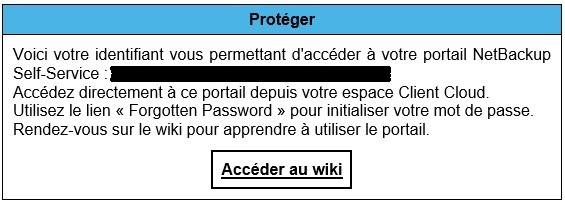
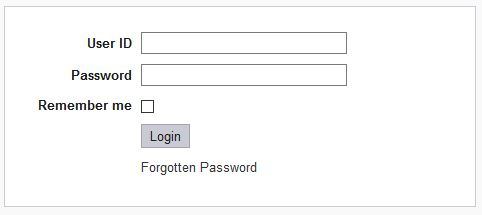
Use the “Forgotten Password” link to initialize your password.
Password criteria :
- Must contain alpha-numeric characters
- Must have at least 8 characters
- Must be different from the identifier
- Must be different from the last 12 passwords
Prerequisites for backup
Please check the following prerequisites
NetBackup backup process
Phase 1: Backup Initialization
Phase 2: The NetBackup client initiates a VmWare snapshot of the VM.
Phase 3:
Windows server: VSS synchronizes the VM file system.
Linux server: the file system is set in quiesce mode by IO control.
Phase 4: VMWARE system creates a snapshot of the .vmdk file, the virtual disk, (Datastore).
Phase 5: The NetBackup client reads this snapshot from the Datastore and writes the data to the backup storage unit.
Phase 6: At the end of the backup, the snapshot file is synchronized with the VM’s .vmdk file and then deleted.
Backup portal
This is described on the NSS Home Page.