-
Overview
-
Practical sheets
-
-
- Aucun article
-
-
- Aucun article
-
-
-
- Backup : Agent-Level B&R via NSS for IAAS offer
- Backup : Create VCOD Backup
- Backup : Netbackup Agent Installation for Linux
- Backup : Netbackup Agent Installation for Windows
- Backup : Overall Design for VCOD Offer
- Backup : User's Guide for VCOD Offer
- NSX-T : Configuring a Distributed Firewall
- NSX-T : Create VPN Ipsec
- NSX-T : Creation of T1
- NSX-T : DNAT configuration
- NSX-T : How to configure a Gateway Firewall
- NSX-T : SNAT configuration
- NSX-T: Create and Configure a Geneve Overlay Segment
- NSX-T: How to configure an IPSEC solution
- vCenter : Clone a VM
- VCenter : Create a new VM
- VCenter : Create a snapshot of a VM
- VCenter : Reset cloudadmin password
- VCenter : Storage Vmotion on a VM
- VCenter : Upgrade Vmware tools on a VM
-
-
Q & A
-
Services
-
-
- Aucun article
-
- Aucun article
-
- Aucun article
-
- Aucun article
-
- Aucun article
-
- Aucun article
-
- Aucun article
-
-
-
- Aucun article
-
- Aucun article
-
- Aucun article
-
-
-
- Aucun article
-
- Aucun article
-
-
Creating a data center group
Overview
VDC groups are essential to be able to share organization networks between different VDCs of an Organization.
Note !
For an organization network created within a data center group to be routed to a T1 gateway, it is necessary for the gateway to be added to the VDC group. This action must be carried out by opening a change request ticket from your cloud customer space.
Configuration
Management of VDC groups is done from the Networking > Data center group tab.
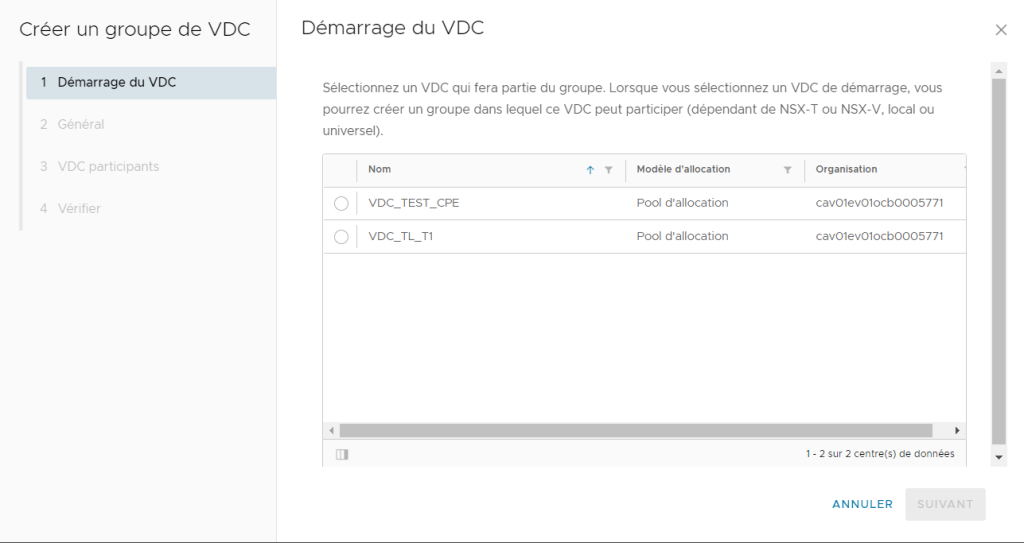
You must select a starting VDC, i.e. a first VDC that will be part of the group we are going to create.
Afterwards we will be able to add other VDCs to our VDC group.
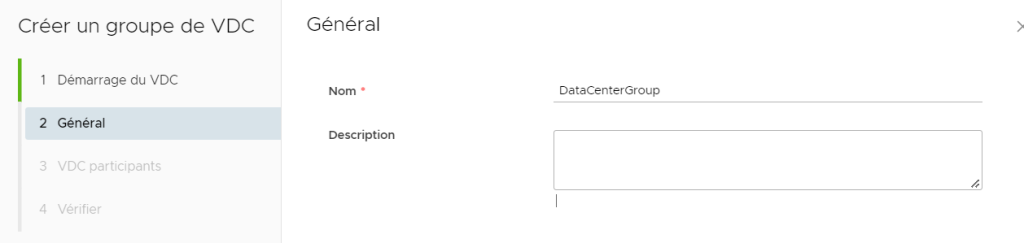
Choose the name of your VDC group.
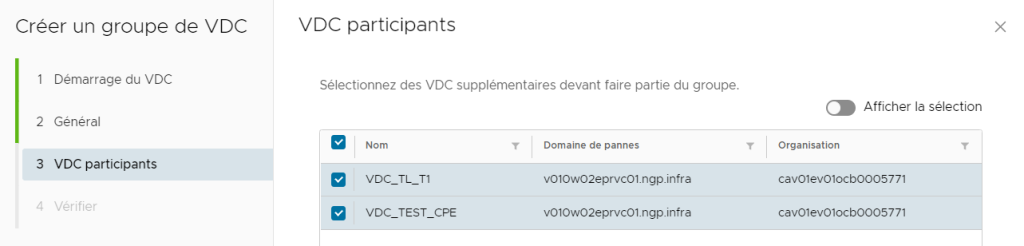
Select the VDCs to be included in the group.
Finally, validate the creation of your VDC group; you should find it in the list of VDC groups.
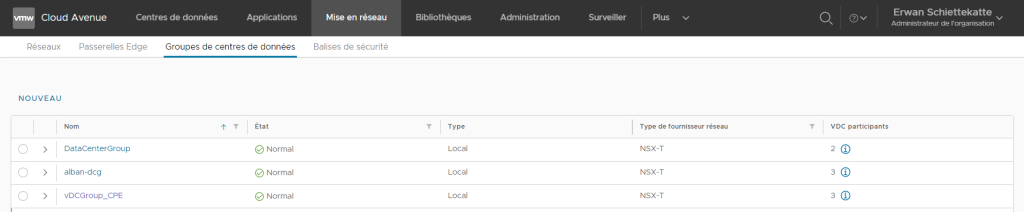
Different actions are possible by clicking on one of your VDC groups :
- General
- Participant VDCs
- Edge gateway
- Security
- Networks
From the General tab you can obtain some information related to your VDC group.
From the Participant VDCs tab you can add or remove a VDC from your VDC group.
From the Edge gateway tab you can view the list of gateways that are part of your VDC.
- Reminder: For an organization network created within a data center group to be routed to a T1 gateway, it is necessary for the gateway to be added to the VDC group. This action must be carried out by opening a change request ticket from your cloud customer space.
Security :
Security groups are used to configure the Firewall service of your T1 gateway.
- Static Groups: You can create a static group. This group will consist of VMs.
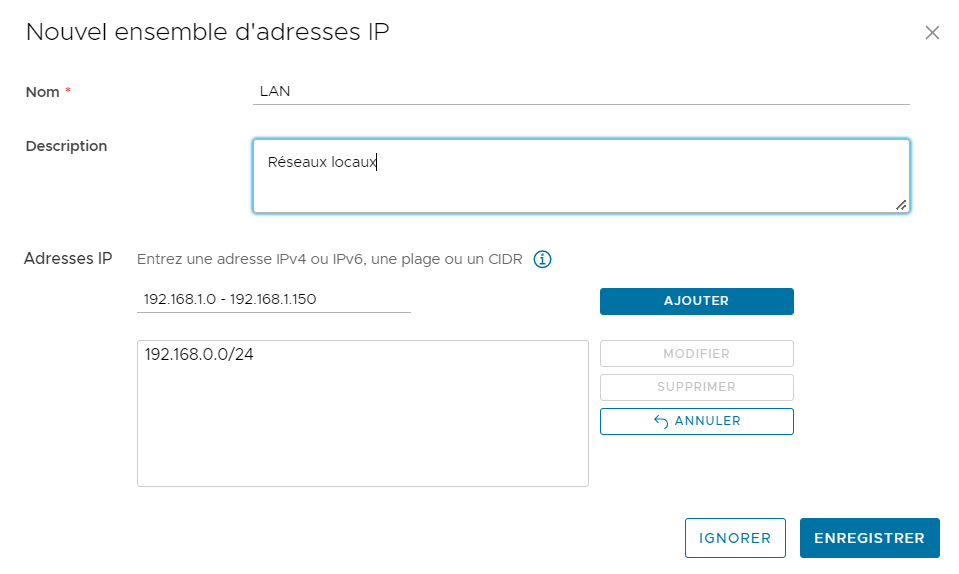
- Set of IP addresses: You can define one or more networks, subnets, IP addresses.
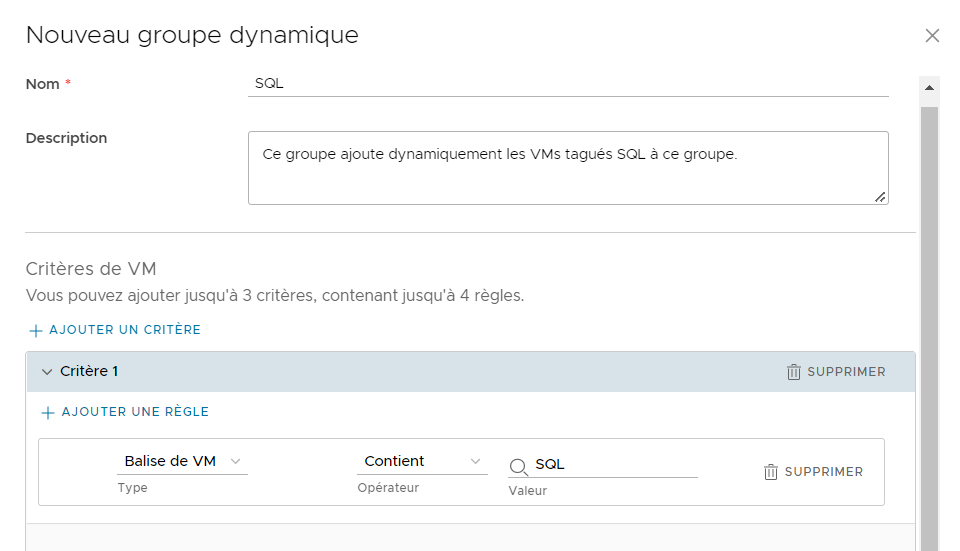
- Dynamic Groups: You can create a group whose members will be added to this group dynamically according to certain criteria such as the name of the VM or the tag that you have assigned to a VM.
- Application port profile: You can create your own port groups although a substantial list is already provisioned.
From the Networks tab you can create, add or remove organization networks from your VDC group.