Cloud Avenue Wiki
-
Overview
-
Practical sheets
-
-
- Aucun article
-
-
- Aucun article
-
-
-
- Backup : Agent-Level B&R via NSS for IAAS offer
- Backup : Create VCOD Backup
- Backup : Netbackup Agent Installation for Linux
- Backup : Netbackup Agent Installation for Windows
- Backup : Overall Design for VCOD Offer
- Backup : User's Guide for VCOD Offer
- NSX-T : Configuring a Distributed Firewall
- NSX-T : Create VPN Ipsec
- NSX-T : Creation of T1
- NSX-T : DNAT configuration
- NSX-T : How to configure a Gateway Firewall
- NSX-T : SNAT configuration
- NSX-T: Create and Configure a Geneve Overlay Segment
- NSX-T: How to configure an IPSEC solution
- vCenter : Clone a VM
- VCenter : Create a new VM
- VCenter : Create a snapshot of a VM
- VCenter : Reset cloudadmin password
- VCenter : Storage Vmotion on a VM
- VCenter : Upgrade Vmware tools on a VM
-
-
Q & A
-
Services
- Backup
- Bare Metal Server
- Bare Metal Server
- Bare Metal Server GPU
- Block Storage
- BVPN access
- Certifications
- Cross Connect
- Dedicated Cluster
- DRaaS with VCDA
- Dual Site
- Dual Site
- HA Dual-Room
- Internet access
- Licenses
- Loadbalancer As a Service
- Network
- Network Storage
- Object storage
- Object storage
- QoS Appliance
- Security
- Shared colocation switch option (Cross connect)
- Support and Coaching
- Tools
- VCenter On Demand
- VM Replication
DBaaS – Subscription
How to subscribe the service?
CAV DBaaS requires that you have an existing CAV customer which provides you with necessary right to open an change request via the Orange Cloud Portal. You must have at least the Visitor profile permission on the section. Before requesting the subscription validate the network prerequisite is completed (refer to DBaaS – Network Prerequisites)
Subscription
- Connect to Orange Cloud Portal – https://selfcare.cloud.orange-business.com/
- Login with your credentials, In the Dashboard click Requests
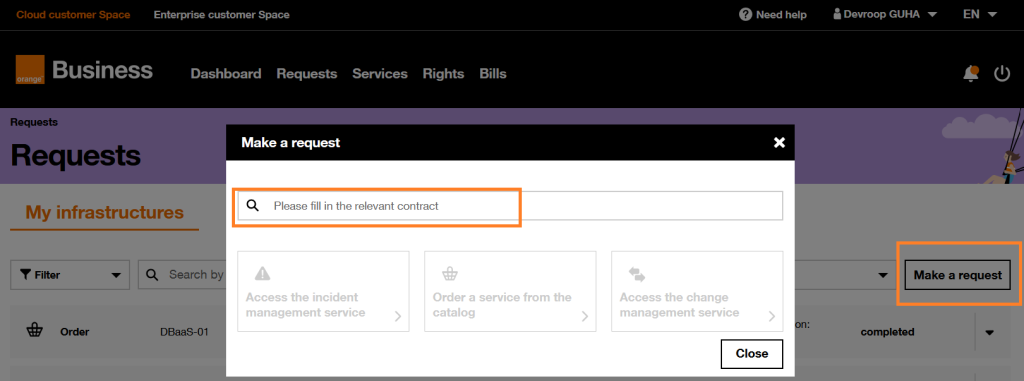
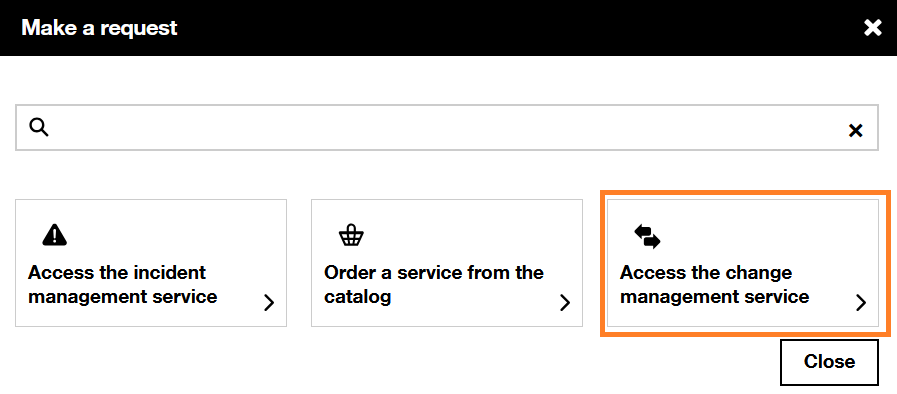
- In the Request page, click “Make a request” and choose the tour contract from the drop down menu and select “Access the change management service”.
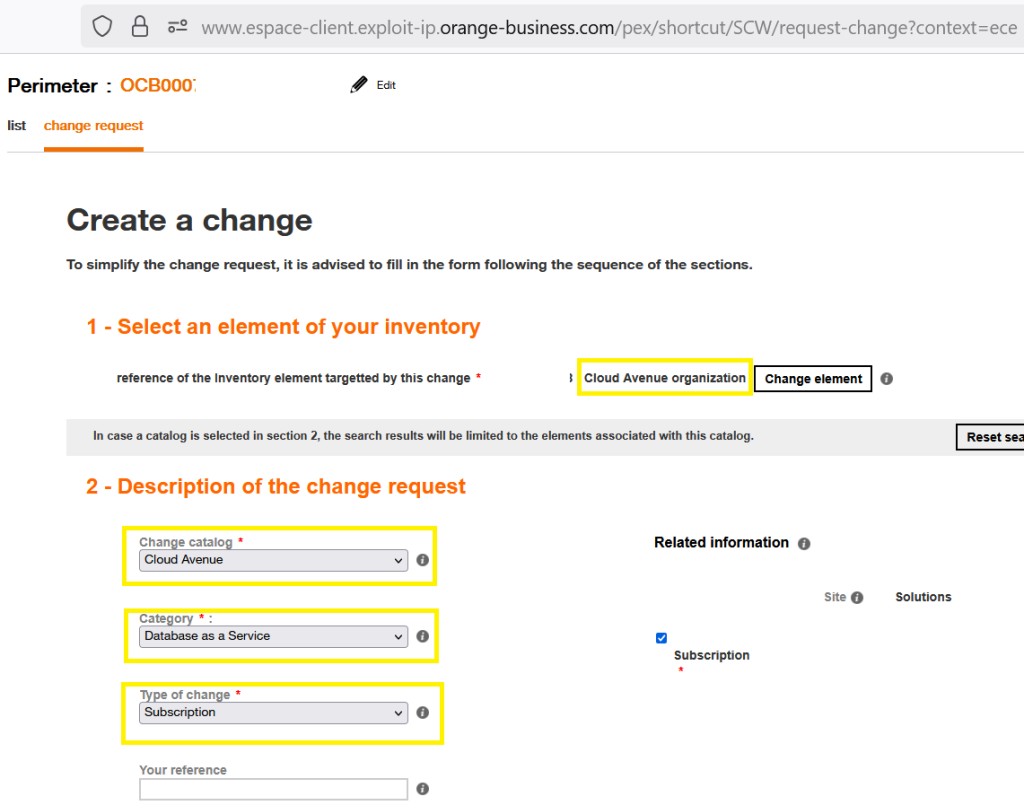
- In the Change Management page, click “Create a change” and choose the options as highlighted below from the drop down menu. Make sure that perimeter is your cloud avenue tenant and Change element is Cloud Avenue organization
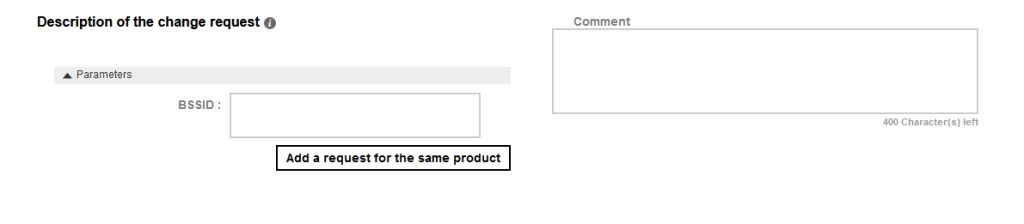
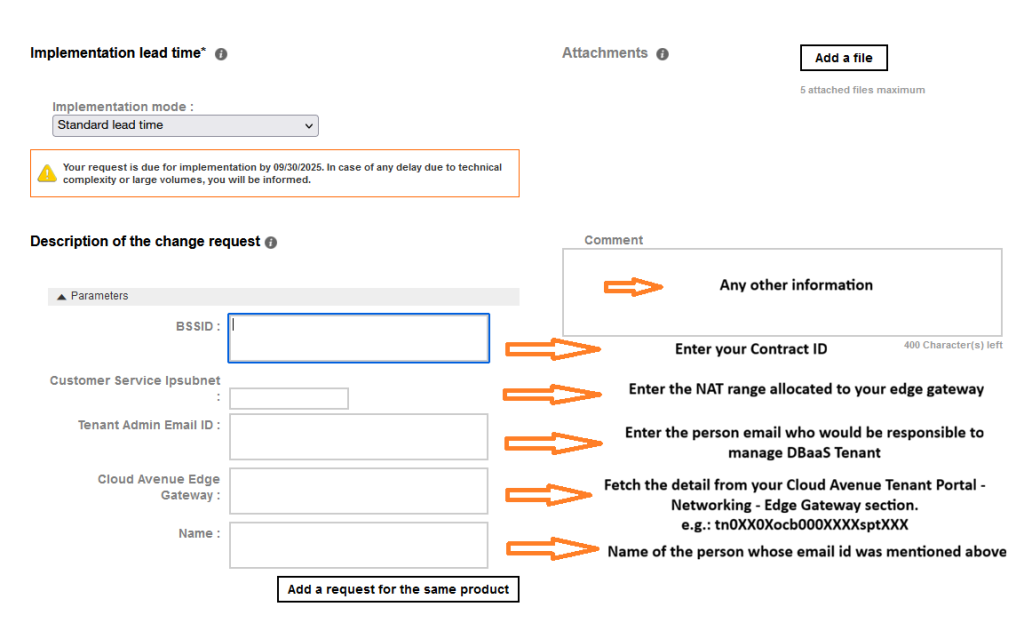
- Fill in the details for the different fields mentioned under the “Description of the change request”. Once done click on “confirm the request”. Refer below screenshot for the value that needs to be filled (mandatory).
- After successful completion of subscription request, you would receive an email containing the credential, link to the DBaaS portal and your tenant detail which is same as your existing CAV contract ID.
- Standard SLA of 5 days is applicable for this request. Once the request is completed customer NAT subnet / range (/27) called the fronted network in DBaaS would be allowed to connect to DBaaS Tier 0. IP from this range would be used to connect the Database instances.
Service Closure
- Connect to Orange Cloud Portal – https://selfcare.cloud.orange-business.com/
- Open a change request with change type as “Unsubscribe” (as mentioned in step above), with below selection as highlighted below:
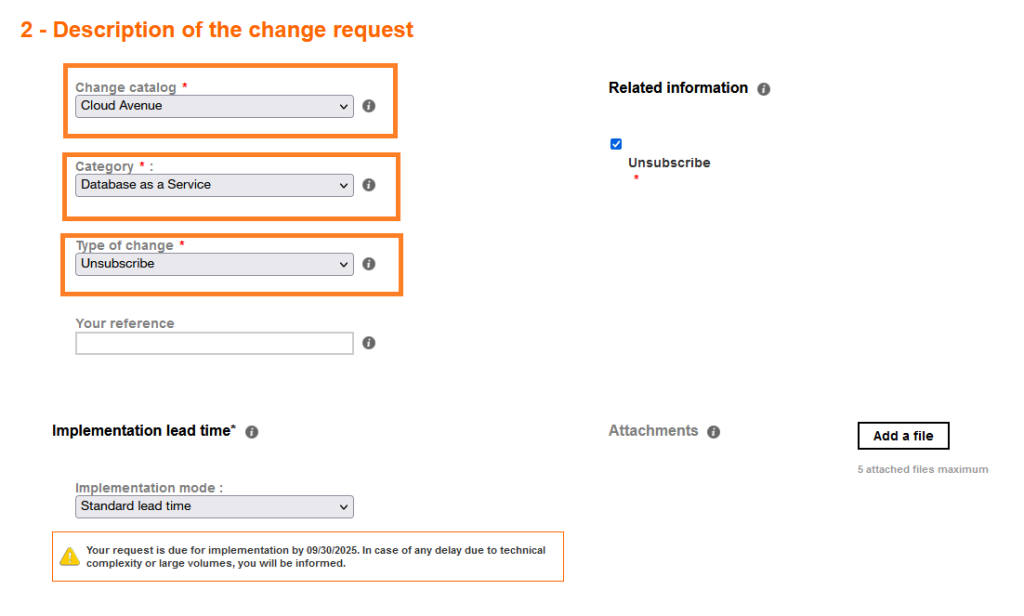
- Fill in the your Contract ID under “Description of the change request” and once done click on “confirm the request”. Refer below screenshot below: