-
Overview
-
Practical sheets
-
-
- Aucun article
-
-
- Aucun article
-
-
-
- Backup : Agent-Level B&R via NSS for IAAS offer
- Backup : Create VCOD Backup
- Backup : Netbackup Agent Installation for Linux
- Backup : Netbackup Agent Installation for Windows
- Backup : Overall Design for VCOD Offer
- Backup : User's Guide for VCOD Offer
- NSX-T : Configuring a Distributed Firewall
- NSX-T : Create VPN Ipsec
- NSX-T : Creation of T1
- NSX-T : DNAT configuration
- NSX-T : How to configure a Gateway Firewall
- NSX-T : SNAT configuration
- NSX-T: Create and Configure a Geneve Overlay Segment
- NSX-T: How to configure an IPSEC solution
- vCenter : Clone a VM
- VCenter : Create a new VM
- VCenter : Create a snapshot of a VM
- VCenter : Reset cloudadmin password
- VCenter : Storage Vmotion on a VM
- VCenter : Upgrade Vmware tools on a VM
-
-
Q & A
-
Services
-
-
- Aucun article
-
- Aucun article
-
- Aucun article
-
- Aucun article
-
- Aucun article
-
- Aucun article
-
- Aucun article
-
-
-
- Aucun article
-
- Aucun article
-
- Aucun article
-
-
-
- Aucun article
-
- Aucun article
-
-
Creating a Catalog
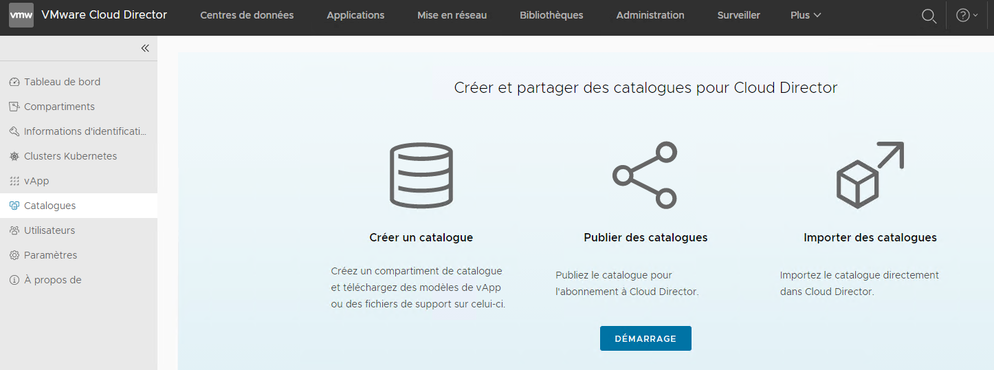
The “Catalogues” menu allows you to Create/Publish/Import catalogues.
To create your first Catalogue
Click on the “Start” button
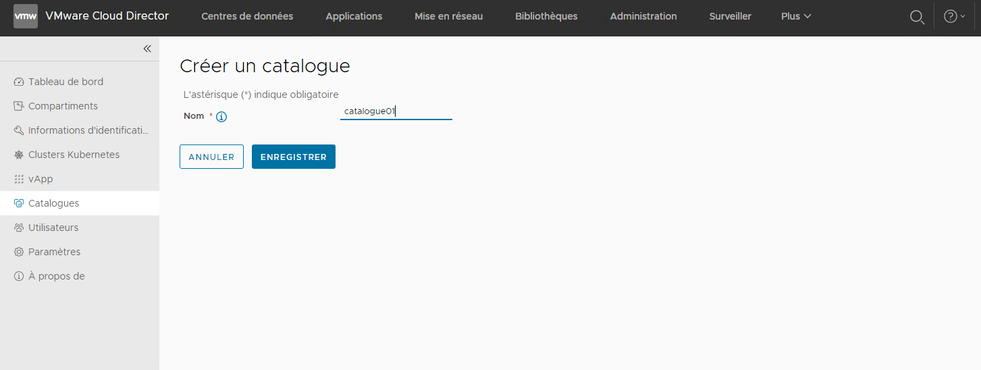
Provide the catalog’s name and click on “Save.”
Once created, the catalog appears in the list. Click on the catalog’s name to edit it.
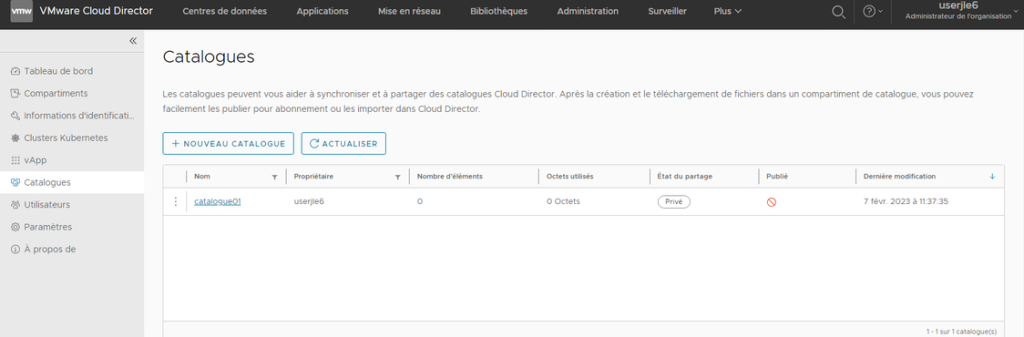
Click on the “Import” button for .iso or .ova files.
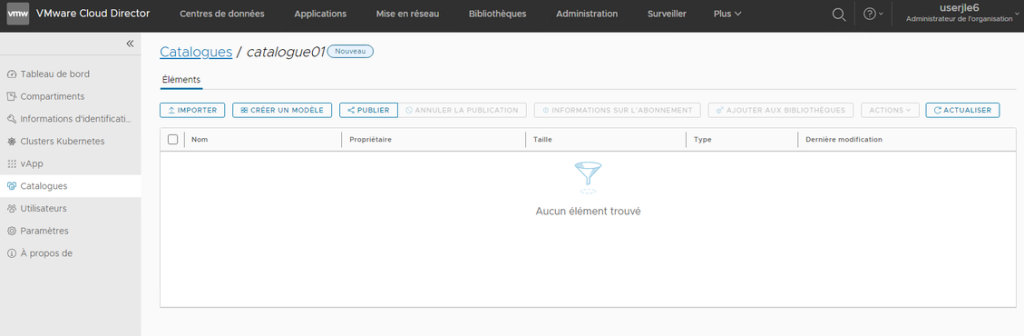
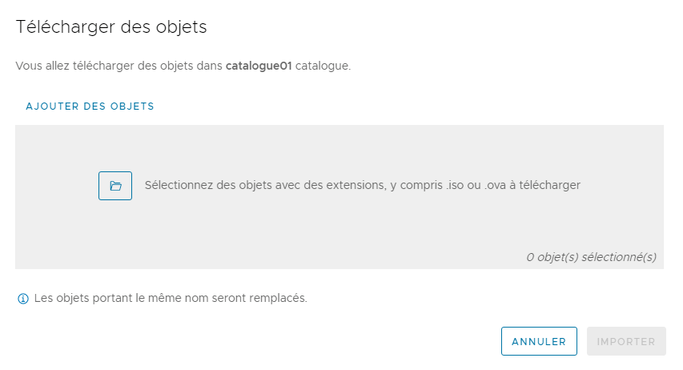
Click on the “Folder” icon to select the file to import.
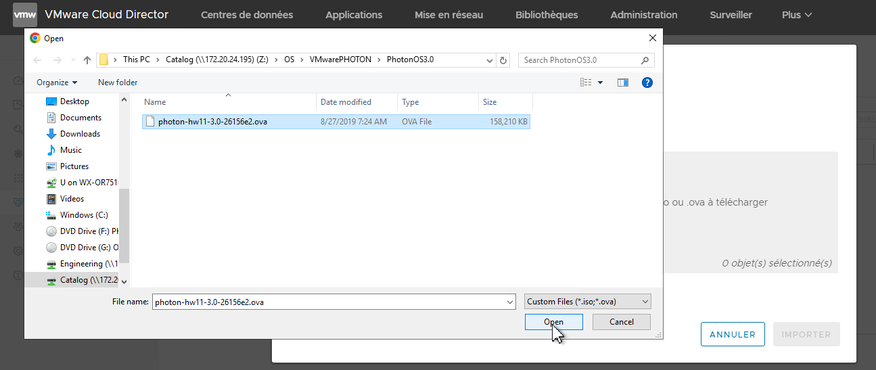
Select the file to import and click on “Open”.
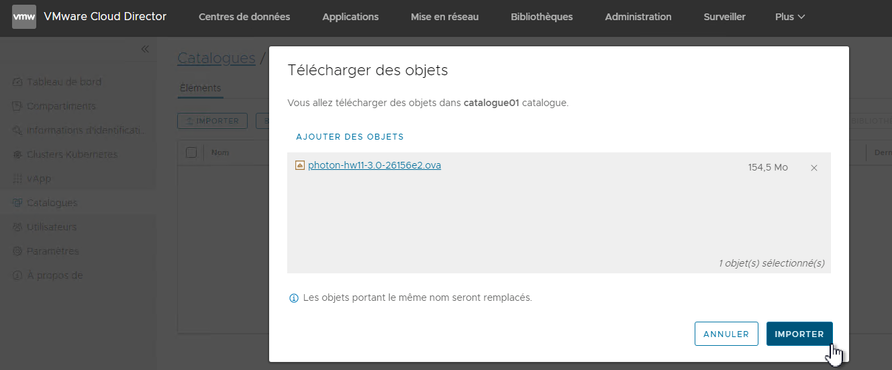
Click on the “Import” button.
Once the file has been imported, click on the “Close” button.
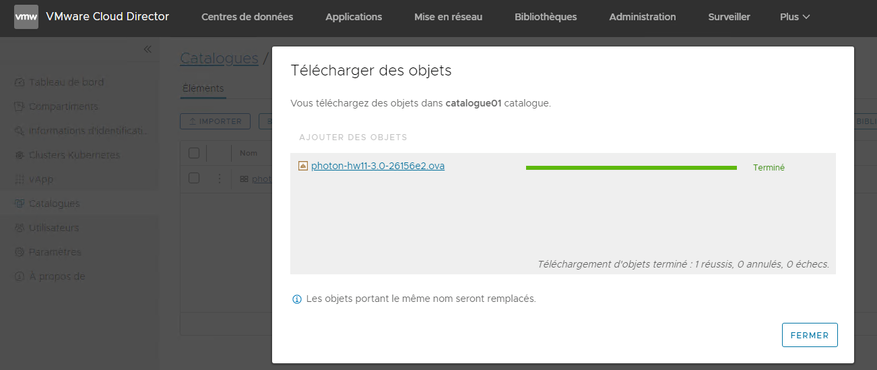
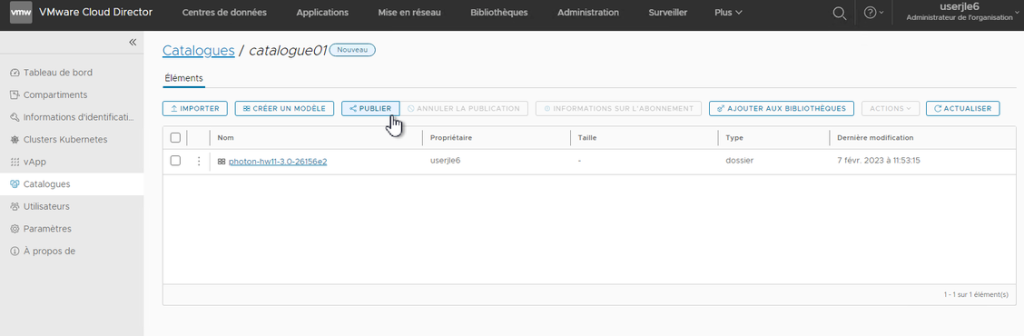
Click on the “Publish” button.
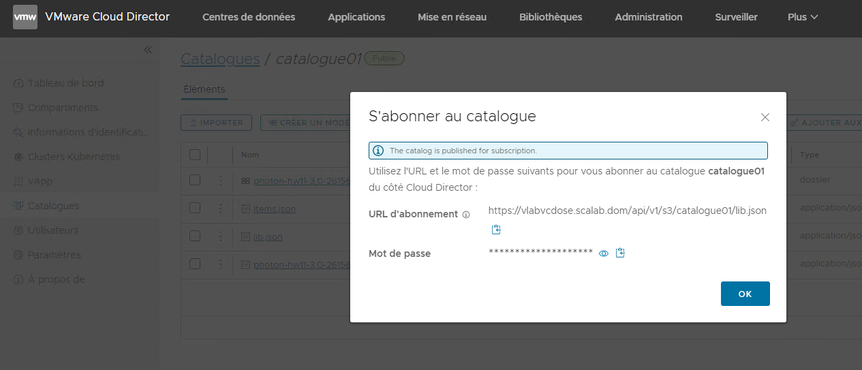
The publication of the catalog is complete.
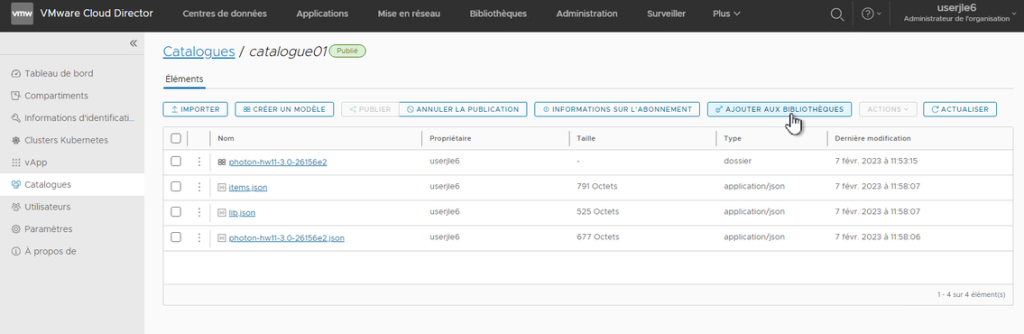
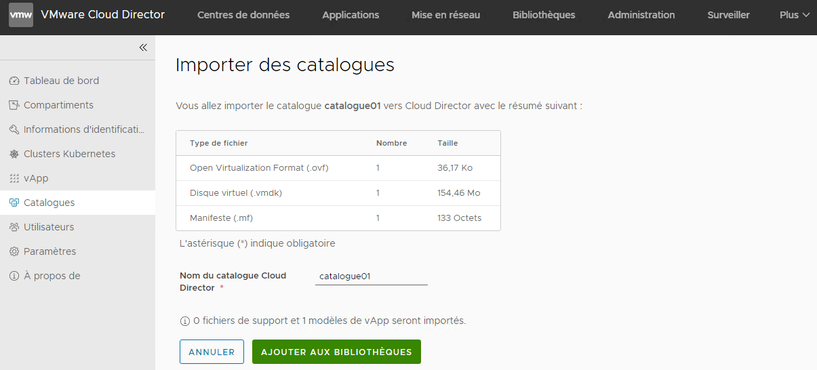
Click on the “Add to libraries” button.
Provide the name of the Cloud Director catalog
Click the “Add to Libraries” button
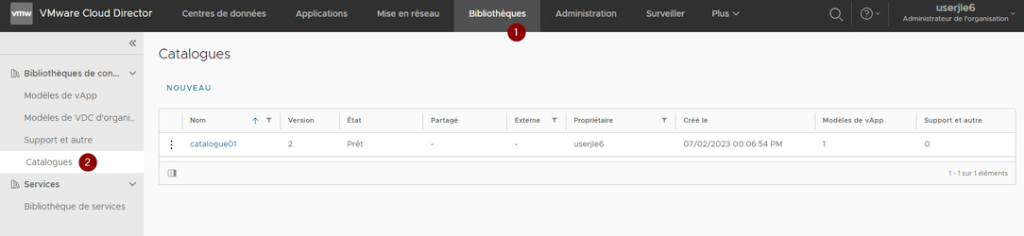
Click on “Libraries” and then on “Catalogues”. The catalogue created is published and available in VMware Cloud Director.
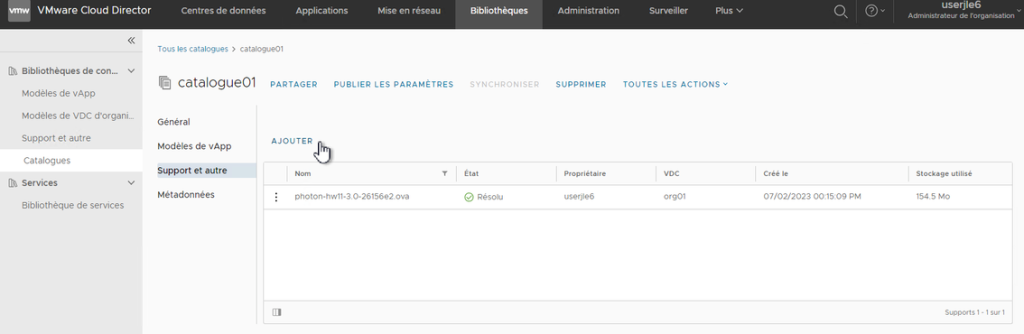
Click “Add” to add the binaries to the catalog.