Cloud Avenue Wiki
-
Overview
-
Practical sheets
-
-
- Aucun article
-
-
- Aucun article
-
-
-
- Backup : Agent-Level B&R via NSS for IAAS offer
- Backup : Create VCOD Backup
- Backup : Netbackup Agent Installation for Linux
- Backup : Netbackup Agent Installation for Windows
- Backup : Overall Design for VCOD Offer
- Backup : User's Guide for VCOD Offer
- NSX-T : Configuring a Distributed Firewall
- NSX-T : Create VPN Ipsec
- NSX-T : Creation of T1
- NSX-T : DNAT configuration
- NSX-T : How to configure a Gateway Firewall
- NSX-T : SNAT configuration
- NSX-T: Create and Configure a Geneve Overlay Segment
- NSX-T: How to configure an IPSEC solution
- vCenter : Clone a VM
- VCenter : Create a new VM
- VCenter : Create a snapshot of a VM
- VCenter : Reset cloudadmin password
- VCenter : Storage Vmotion on a VM
- VCenter : Upgrade Vmware tools on a VM
-
-
Q & A
-
Services
-
-
- Aucun article
-
- Aucun article
-
- Aucun article
-
- Aucun article
-
- Aucun article
-
- Aucun article
-
- Aucun article
-
-
-
- Aucun article
-
- Aucun article
-
- Aucun article
-
-
-
- Aucun article
-
- Aucun article
-
-
NSS Swagger APIs
Overview
The NSS Swagger is a service that allows you to prototype your API calls to the NSS portal. This service is only available in English.
Access
The Swagger is accessible from both sites:
- VdR: https://backup3.flexible-computing-advanced.orange-business.com/NetBackupSelfServiceNetBackupPanels/Swagger/
- RM: https://backup4.flexible-computing-advanced.orange-business.com/NetBackupSelfServiceNetBackupPanels/Swagger/
Overview of the interface :
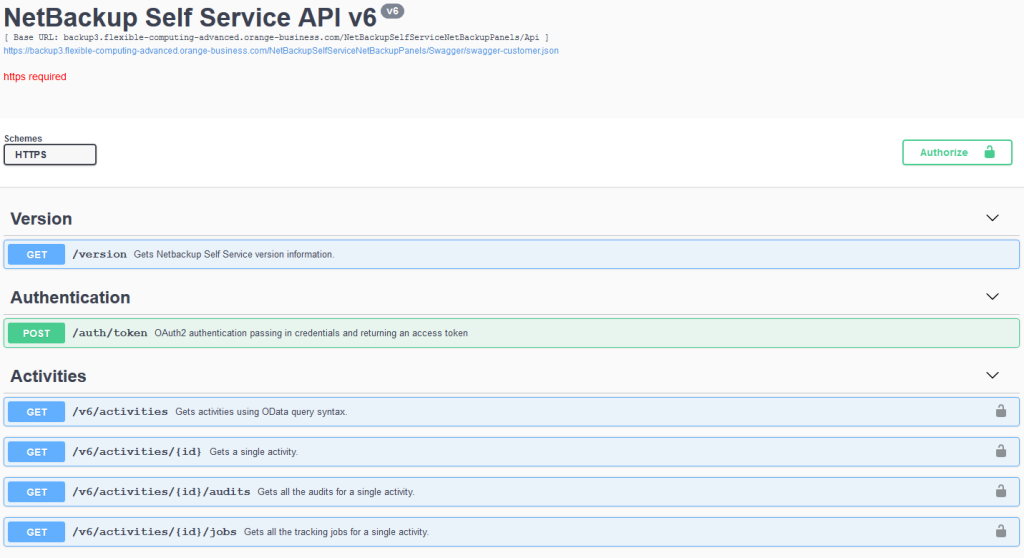
Authentication
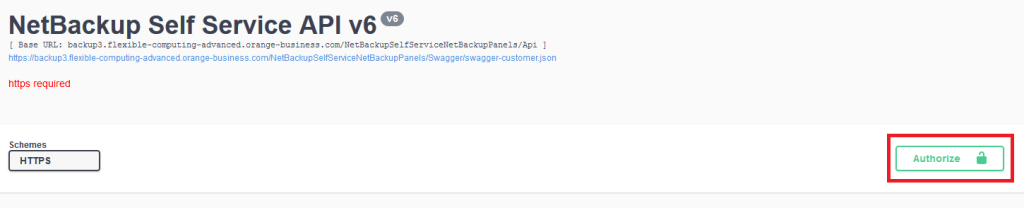
Click on Authorize.
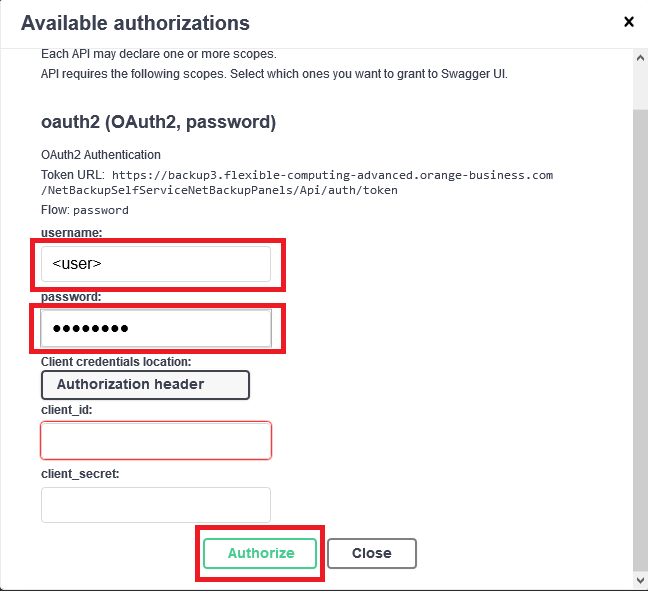
Enter the provided login and password to connect to NSS.
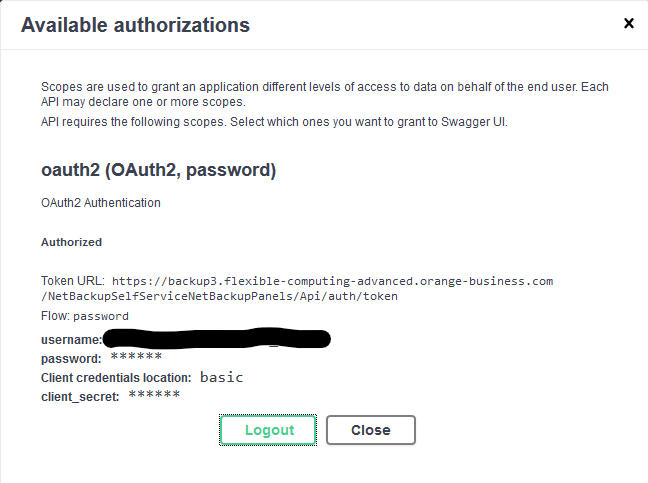
Access has been granted.
Example: Backup Now
First, we will retrieve the VMID of the VM to be backed up.

The VMID is listed in the response body, within the same block as the VMName.
{
  "data": [
    {
      "Id": <VmID>,
...
      "VMDisplayName": <VmName>,
...
You can then initiate a “Backup now” job.

Using the configuration described below:
| Name | Description |
| Id | <VmID> |
| backupData | {
"ProtectionLevelId": 4, "RetentionLevel": 3, "StorageLifecyclePolicyName": "", "Paths": [ ] } |